Qwen Code + Obsidian: Making Knowledge Management Accessible
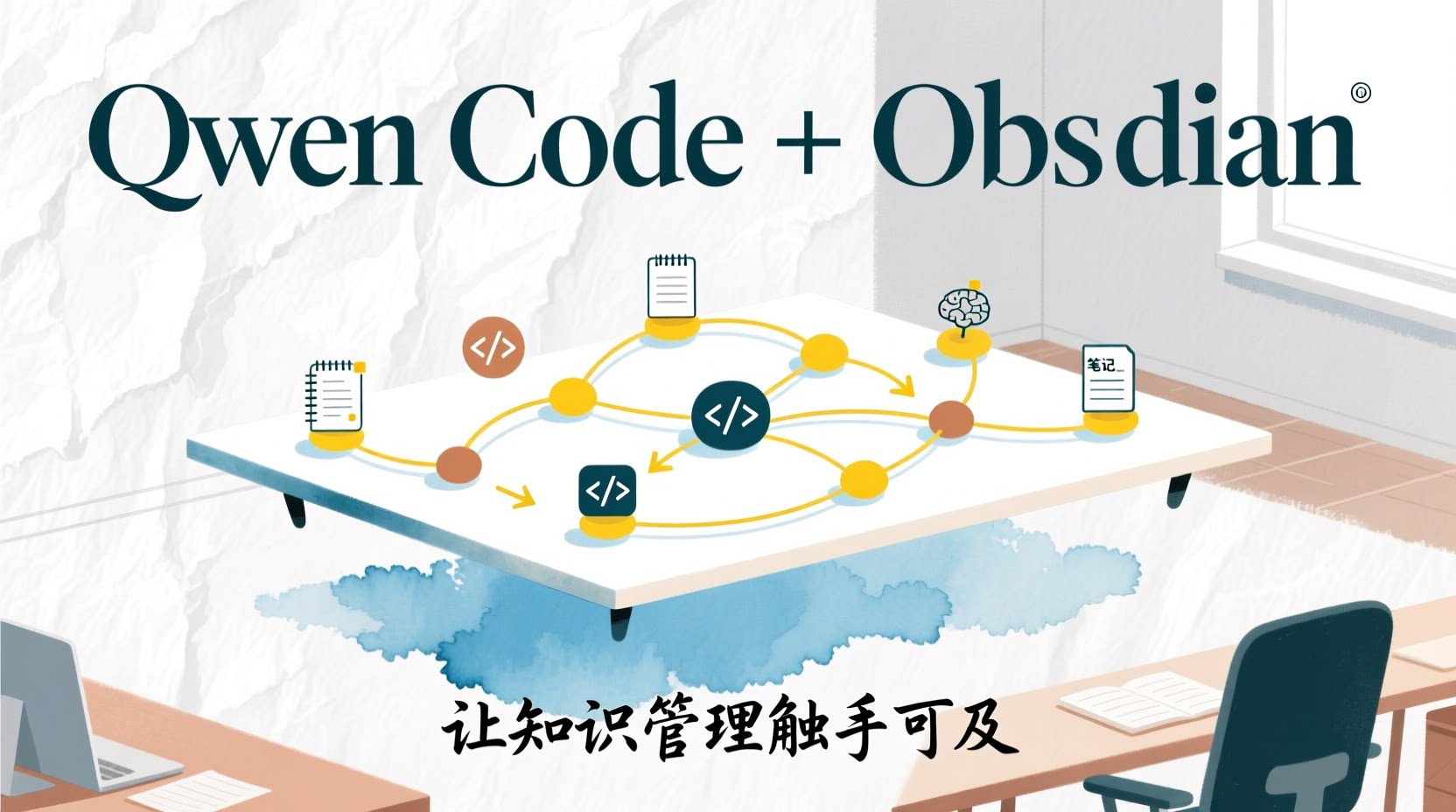
This article demonstrates a reusable workflow to integrate Qwen Code into Obsidian: open Terminal directly in your notes, complete installation and authentication, then connect capabilities like “writing polish, image generation, web scraping” to your daily knowledge management workflow through Skills / MCP.
Why Obsidian + Qwen Code?
Obsidian’s core advantages lie in local Markdown, bidirectional links, and knowledge graphs—your notes are simply .md files, naturally suited for Agent reading and writing. Qwen Code is an AI Agent running in the terminal, editor-agnostic, working wherever there’s a Terminal.
Connecting the two transforms your knowledge base from merely a “place to store notes” into an active workspace that AI can operate on: the Agent can directly read your notes, modify content, generate images, auto-tag, and even scrape external website content into your vault. This is something code editors like VS Code / Cursor struggle to replace—because Obsidian’s plugin ecosystem, bidirectional link graphs, and knowledge management workflows are designed specifically for “writing and thinking.”
Environment Setup
Before starting, ensure you have the following tools installed locally:
- Obsidian: Download here
- Node.js 18+: Skills and MCP installation depend on
npx, download here - An existing Obsidian Vault, or create a new empty one for testing
Once ready, follow the steps below.
Install Obsidian Terminal Plugin
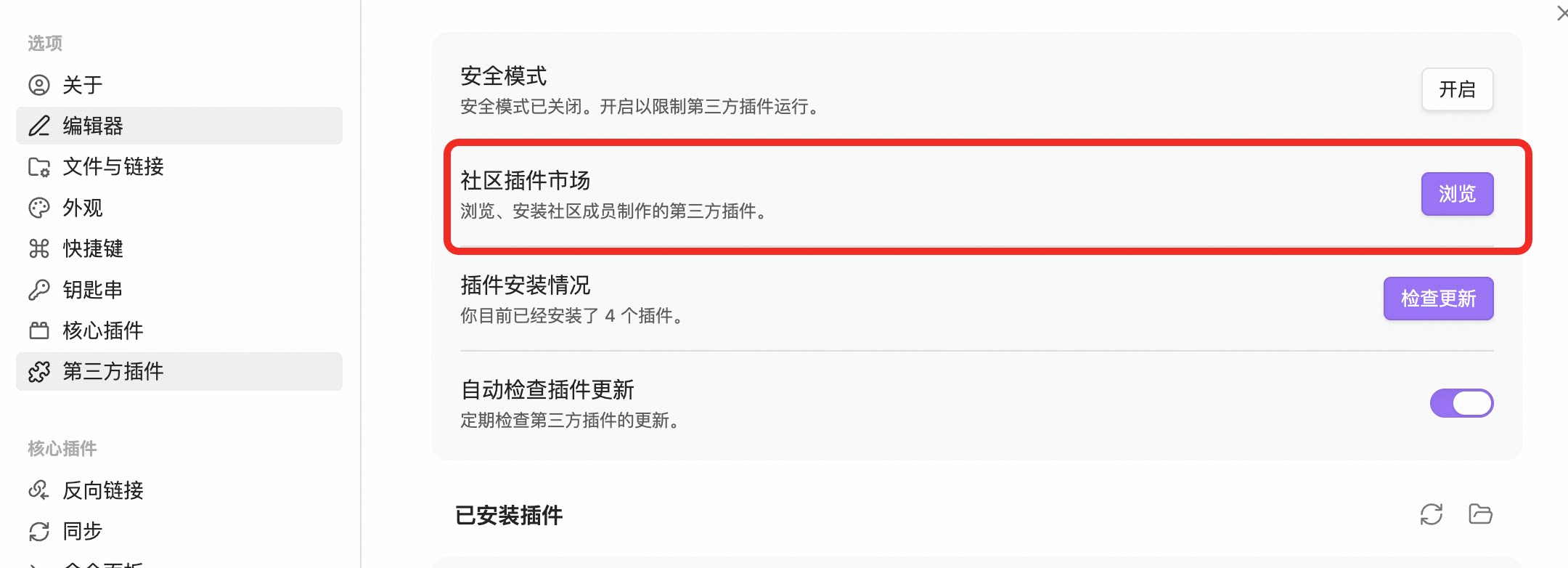
Open Obsidian, go to “Settings” → “Third-party plugins” → “Community plugins marketplace”, search for “Terminal” and install.
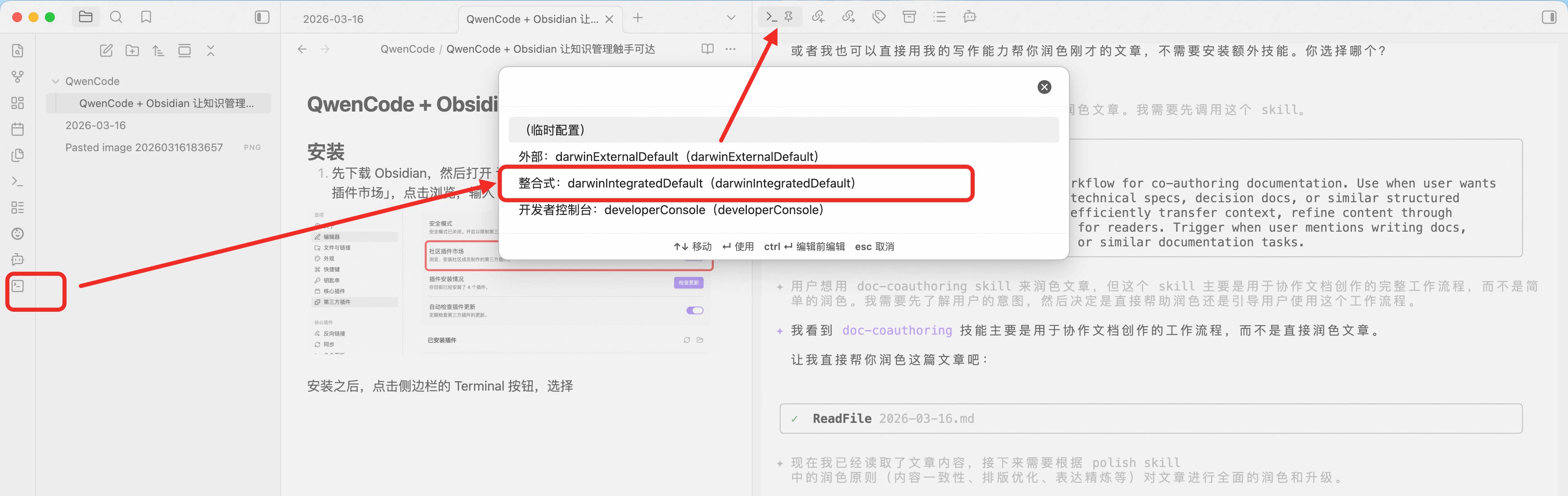
After installation, click the Terminal button in the sidebar and select “Integrated” integration. We recommend dragging Terminal to the right sidebar top for easier operation.
Install Qwen Code
In Terminal, enter:
qwenIf Qwen Code is not installed locally, refer to the GitHub installation guide , or run the following command for one-click installation:
macOS / Linux:
bash -c "$(curl -fsSL https://qwen-code-assets.oss-cn-hangzhou.aliyuncs.com/installation/install-qwen.sh)"Windows:
curl -fsSL -o %TEMP%\install-qwen.bat https://qwen-code-assets.oss-cn-hangzhou.aliyuncs.com/installation/install-qwen.bat && %TEMP%\install-qwen.batAuthenticate Qwen
After successful installation, choose from the following authentication methods:
- QwenOAuth: 1000 free daily calls to
Qwen3.5-plus - Alibaba Cloud Coding Plan: Purchase API Key, suitable for high-frequency usage scenarios
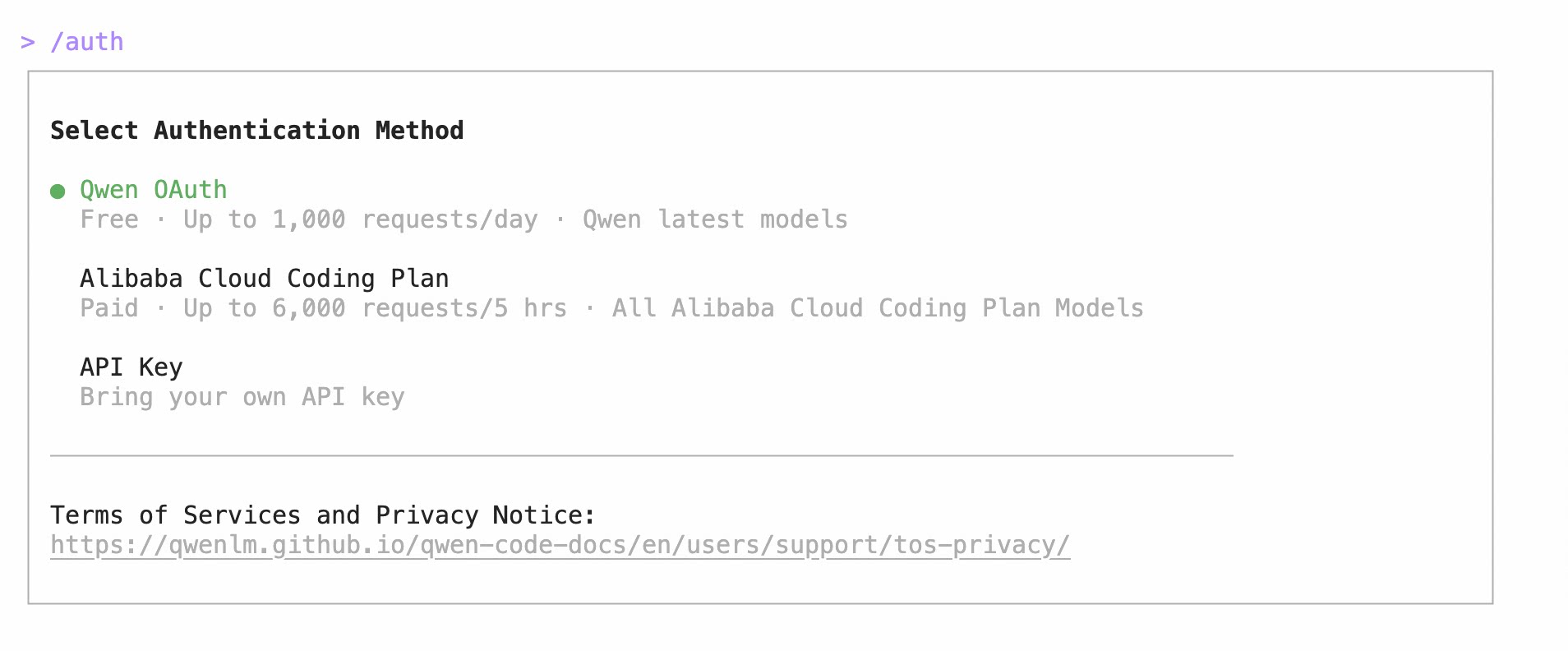
After authentication, you’re ready to start your Qwen Code knowledge management journey.
Practical Tips
Tip 1: Reference Files — Let the Agent Directly Operate Your Notes
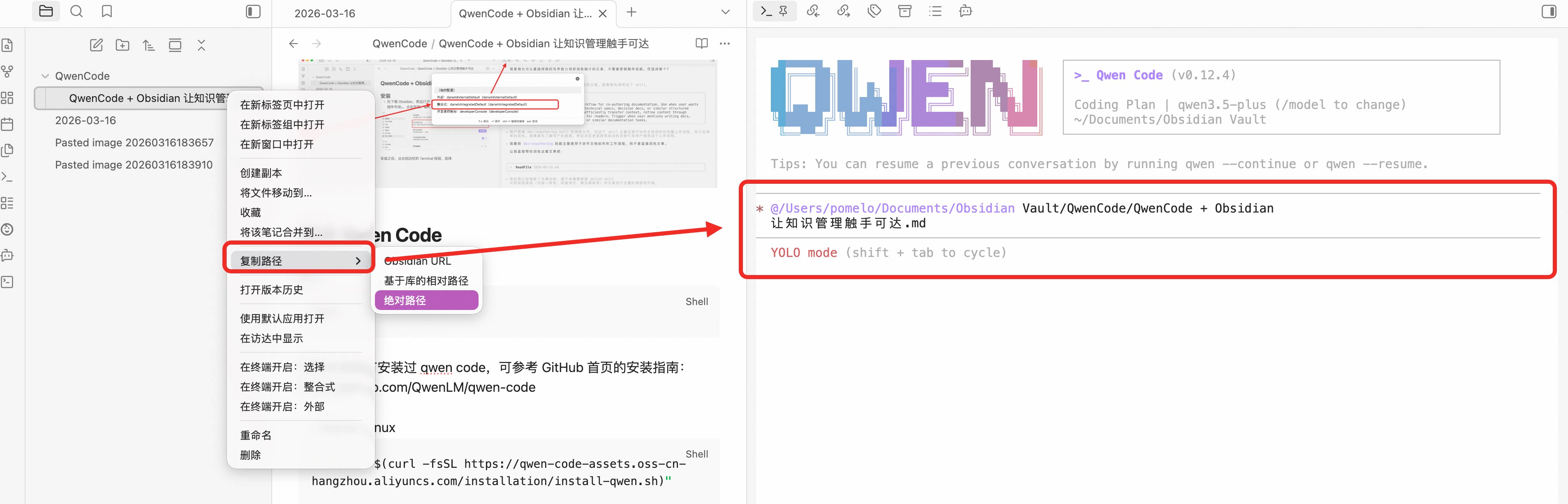
Find the file you want to edit, right-click and select “Copy path” → “Absolute path”, then paste it in the Qwen command line (⌘+V / Ctrl+V):
Press Enter, and Qwen will start:
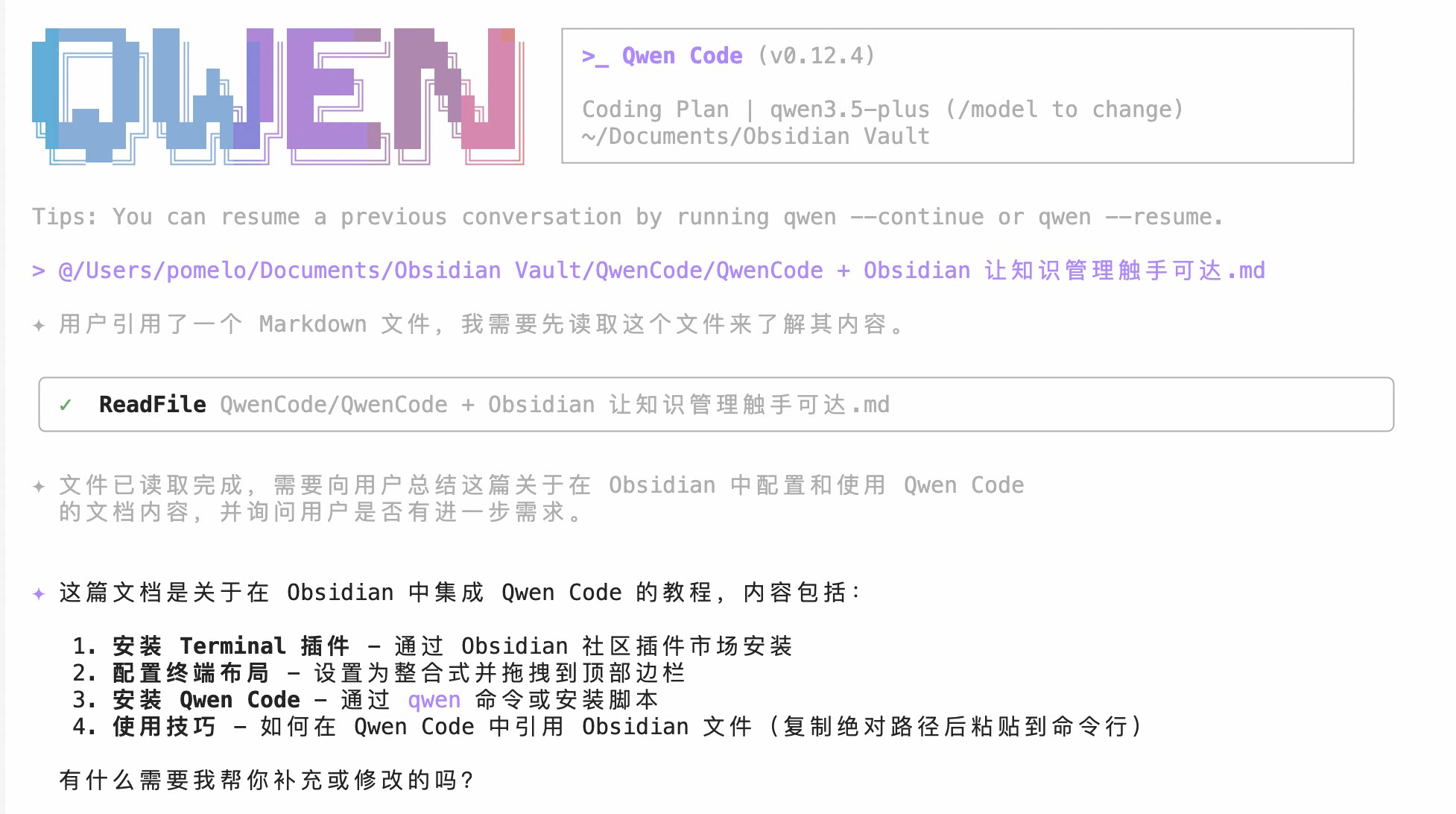
Referencing files enables far more than just “letting it take a look.” Try these prompts:
Help me extract 5 key conclusions from this meeting notes and append a to-do list at the endTranslate this English paper notes to Chinese, preserving all Markdown formatting and linksRead these three weekly reports and merge them into a monthly summary, organized by project dimensionYou can also reference multiple file paths at once, and the Agent will automatically understand the relationships between them. This is especially useful for “cross-notes summarization” scenarios.
Tip 2: Modify Output Language and Theme
If you need the model to output in a specific language (e.g., French), set it via:
/language output French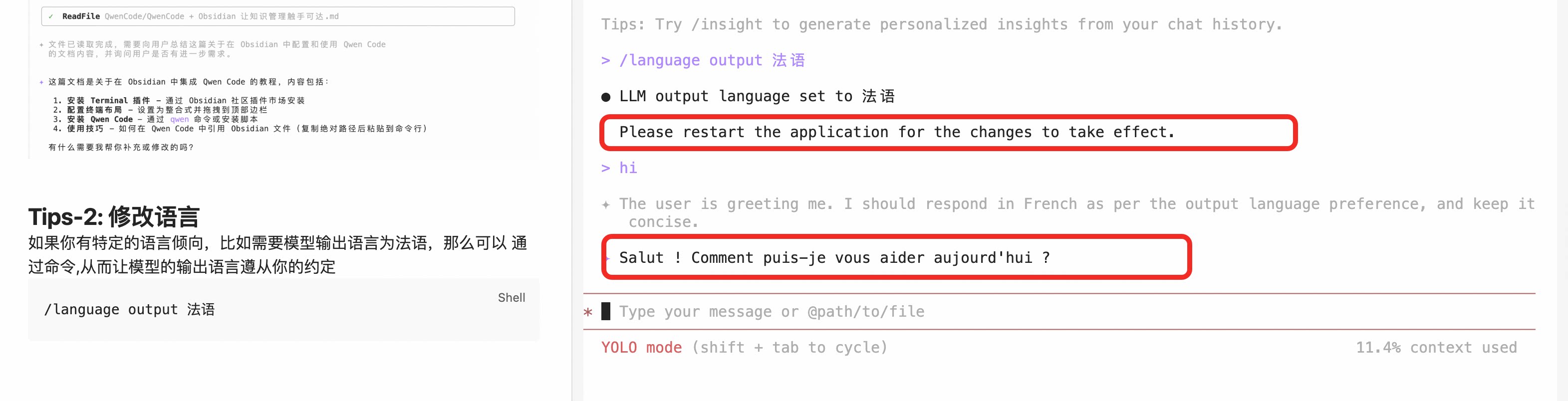
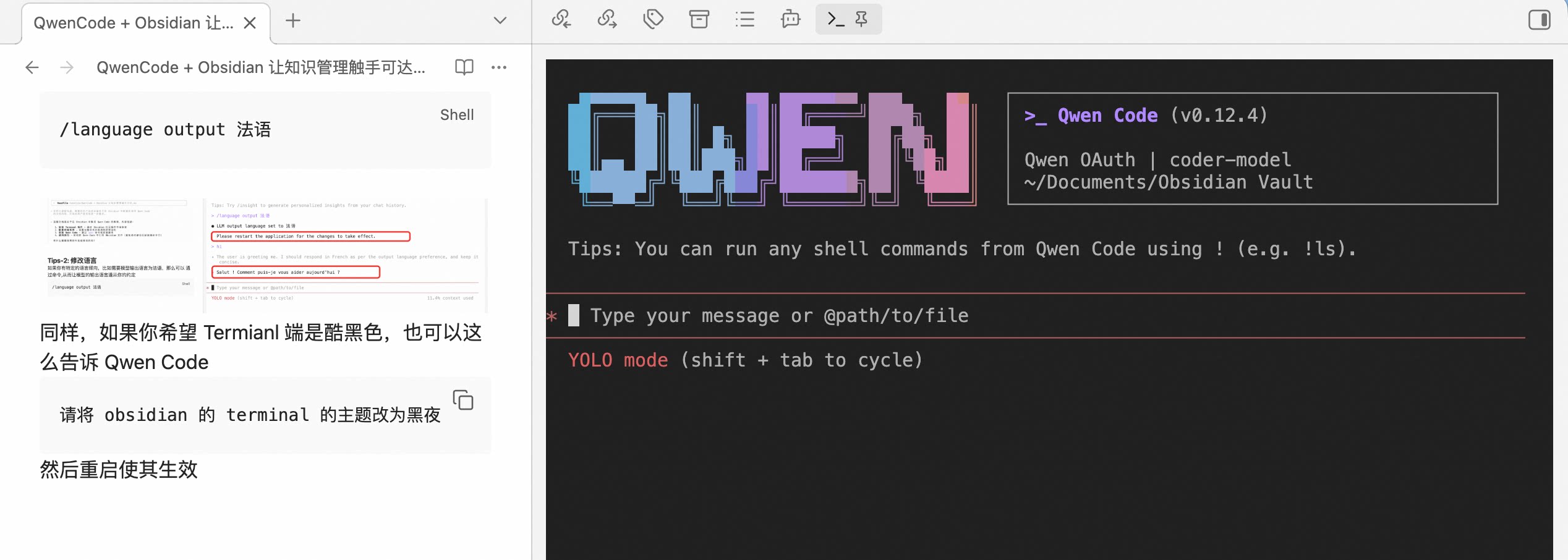
Similarly, if you want the Terminal interface to use a dark theme, you can tell Qwen Code directly:
Please change Obsidian's Terminal theme to darkThen restart to take effect:
Tip 3: Add Writing Polish Skills
Enter the following prompt in Qwen Code:
First check if `find-skills` exists; if not, install it using `npx skills add https://github.com/vercel-labs/skills --skill find-skills`.

Then help me find and install Skills related to "writing polish".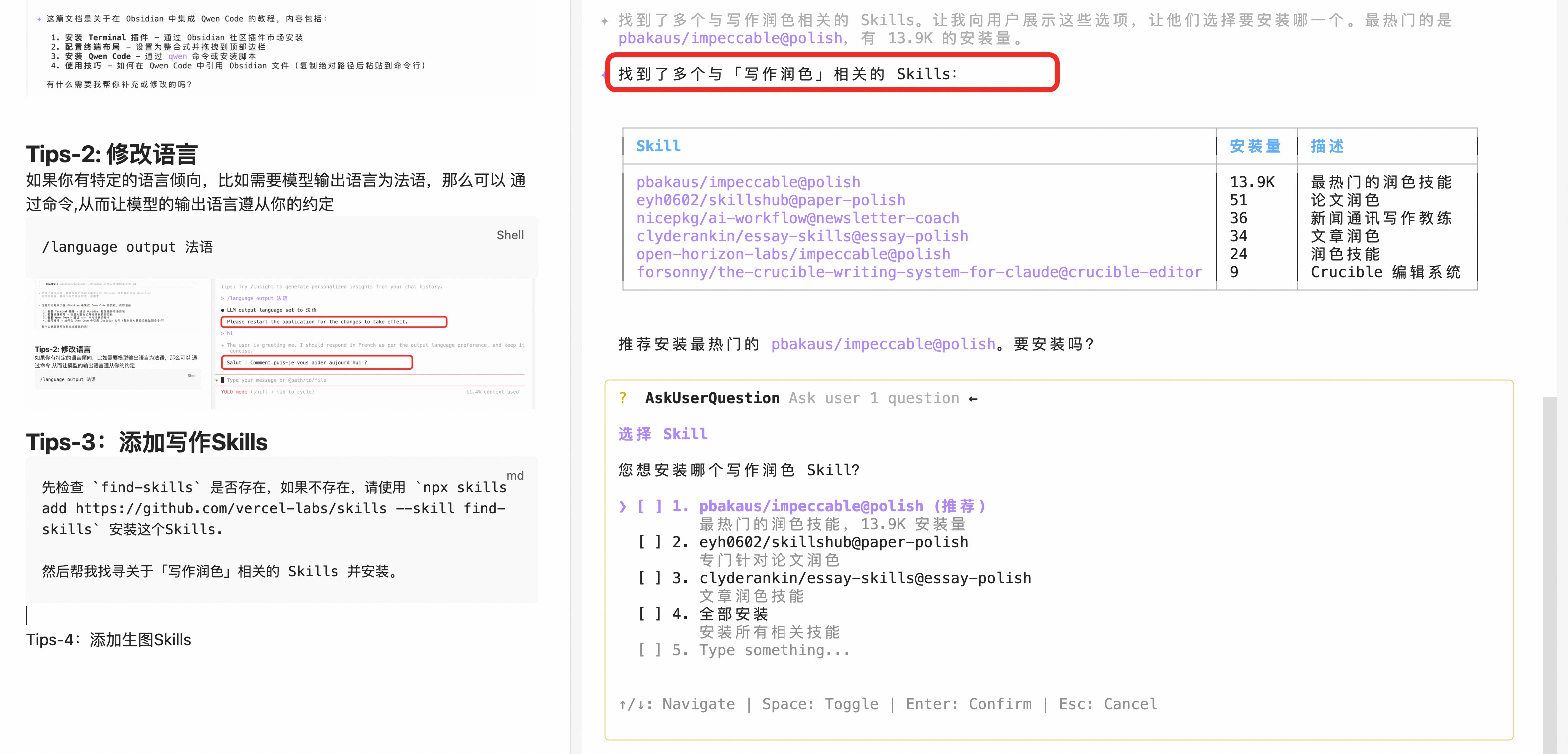
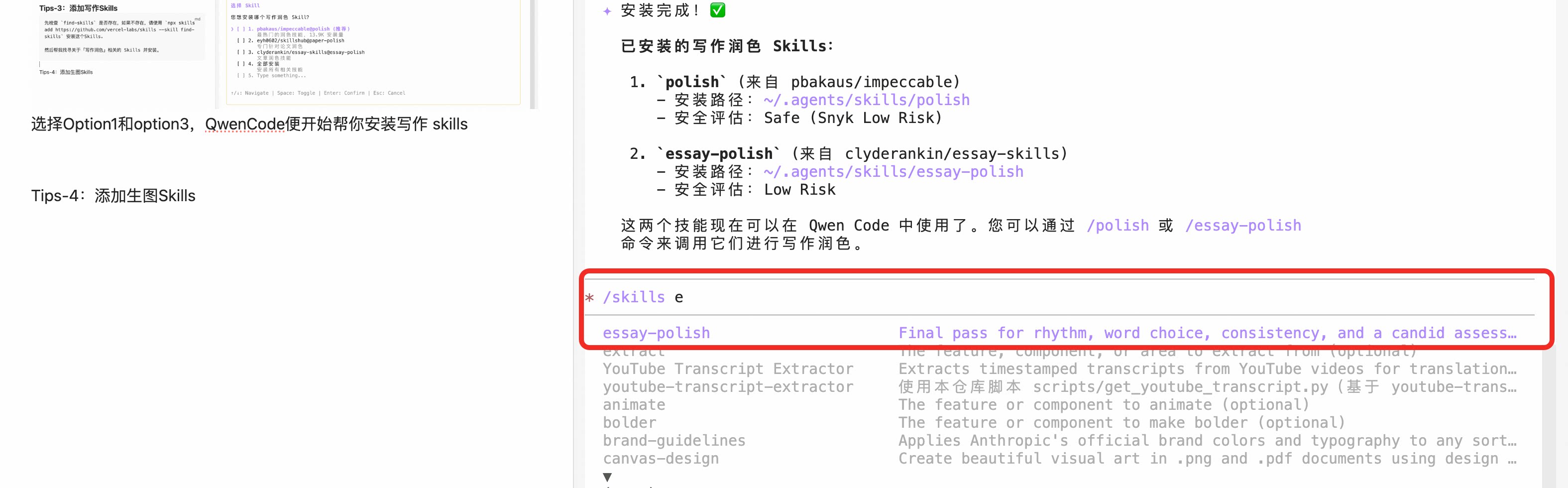
Select Option 1 and Option 3, and Qwen Code will automatically install writing-related Skills:
I briefly tested the results—it worked well. The Skill helped me:
- Unified spacing between Chinese and English (eliminating half-width/full-width mixing)
- Split overly long paragraphs into more readable short ones
- Removed colloquial expressions, replacing them with more formal, concise wording
- Added transitional sentences between paragraphs for better coherence
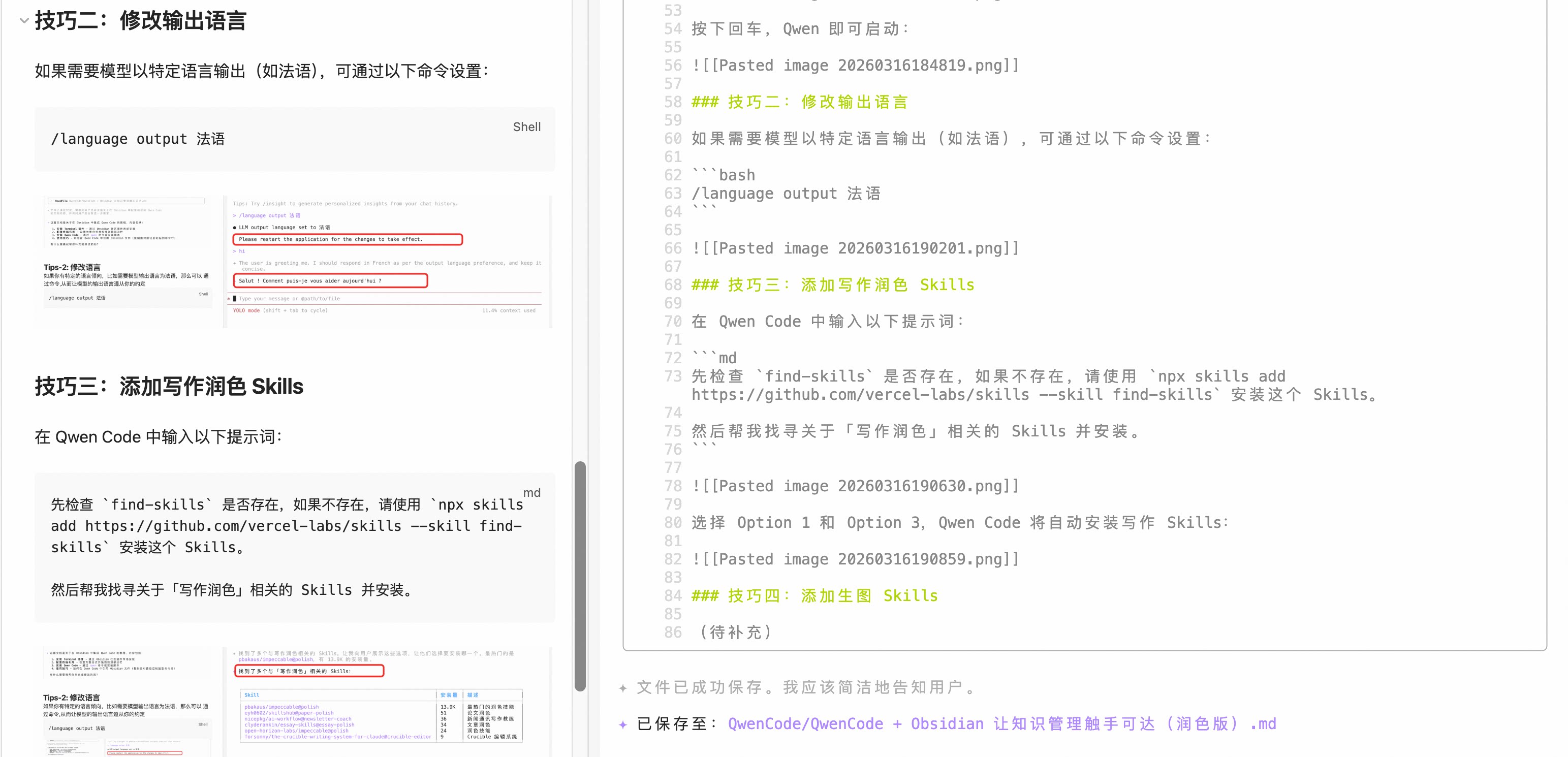
If you have specific requirements for polishing style (like “more colloquial” or “more academic”), you can specify them in the prompt, and the Skill will adjust accordingly.
Tip 4: Add Image Generation Skills
When illustrating articles, you can use Qwen Image MCP:
The following is still a prompt for Qwen Code—no need to manually handle the installation process; let the Agent do it.
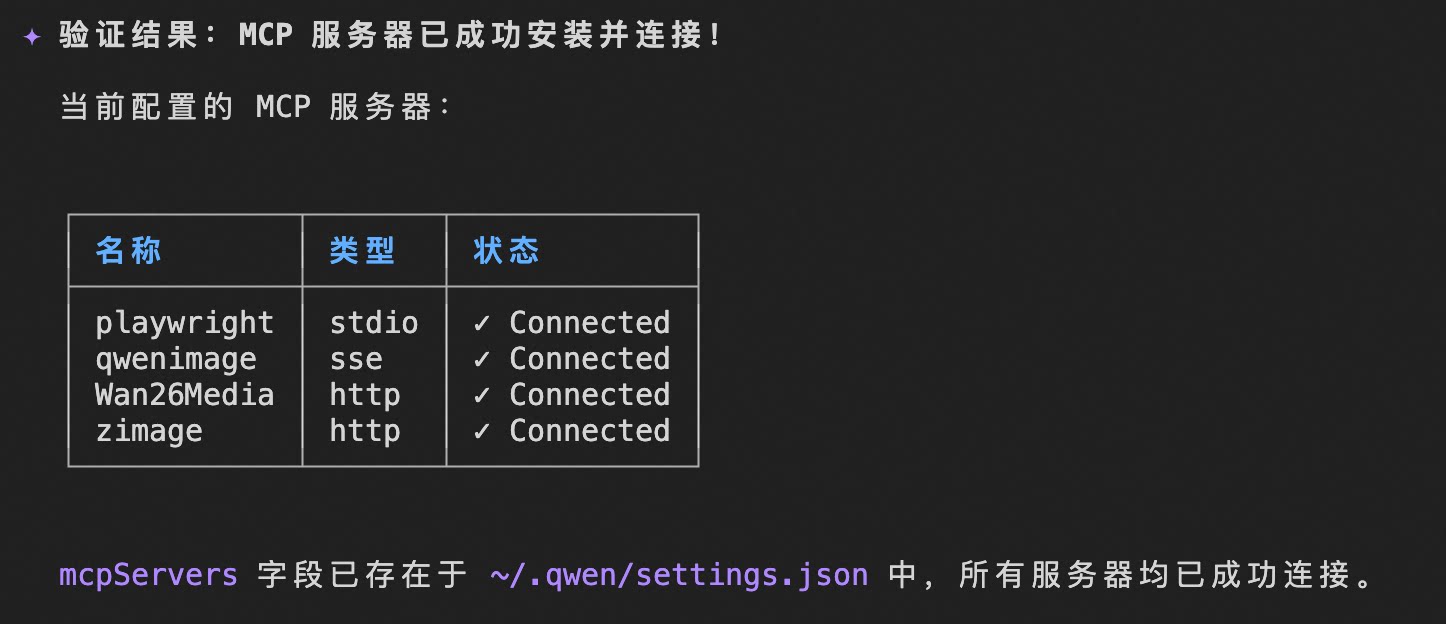
First modify ~/.qwen/settings.json, manually add the mcpServers field, and verify installation via qwen mcp list:
"mcpServers": {
  "playwright": {
    "command": "npx",
    "args": [
      "@playwright/mcp@latest",
      "--user-data-dir",
      ".playwright-mcp-profile"
    ]
  },
  "qwenimage": {
    "url": "https://dashscope.aliyuncs.com/api/v1/mcps/QwenImage/sse",
    "headers": {
      "Authorization": "Bearer ${DASHSCOPE_API_KEY}"
    }
  }
}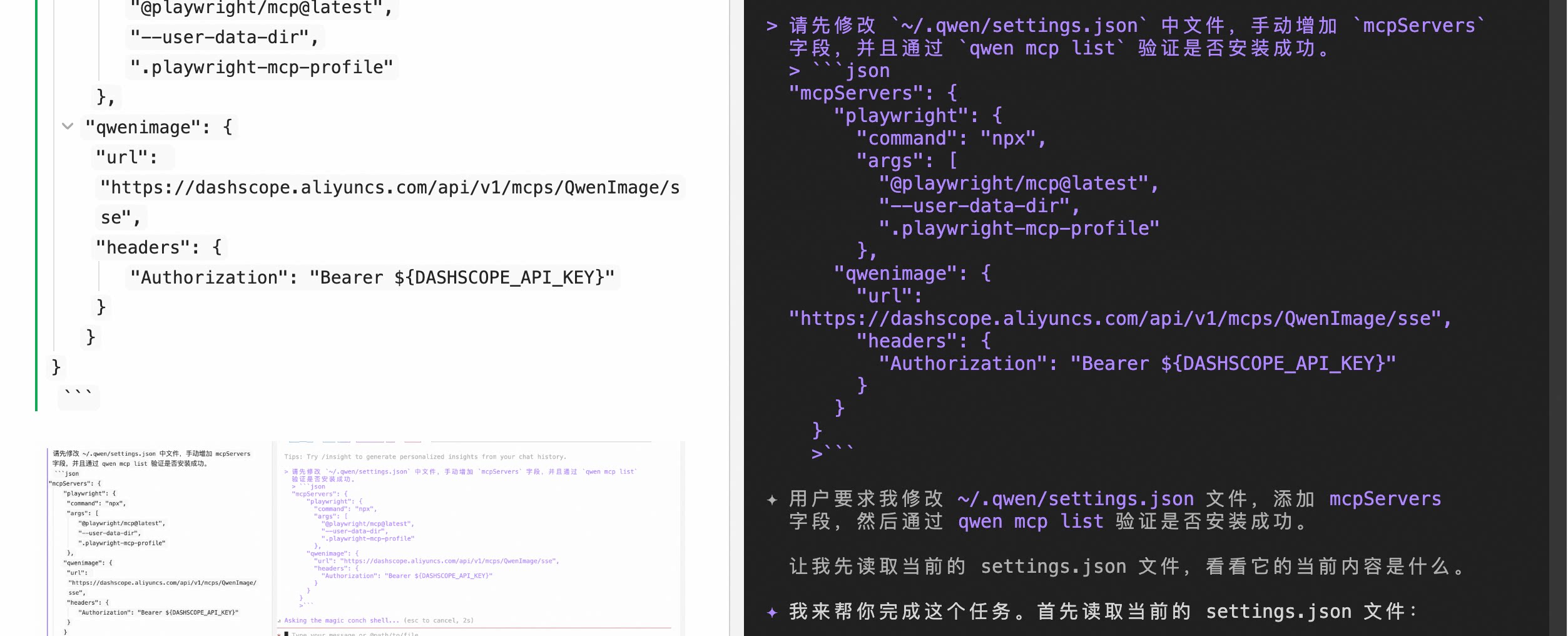
Within seconds, the MCP service is configured:
Start creating your first illustration:
Use qwen image mcp to create and download a magazine-style hand-drawn illustration expressing: Qwen Code + Obsidian: Making Knowledge Management Accessible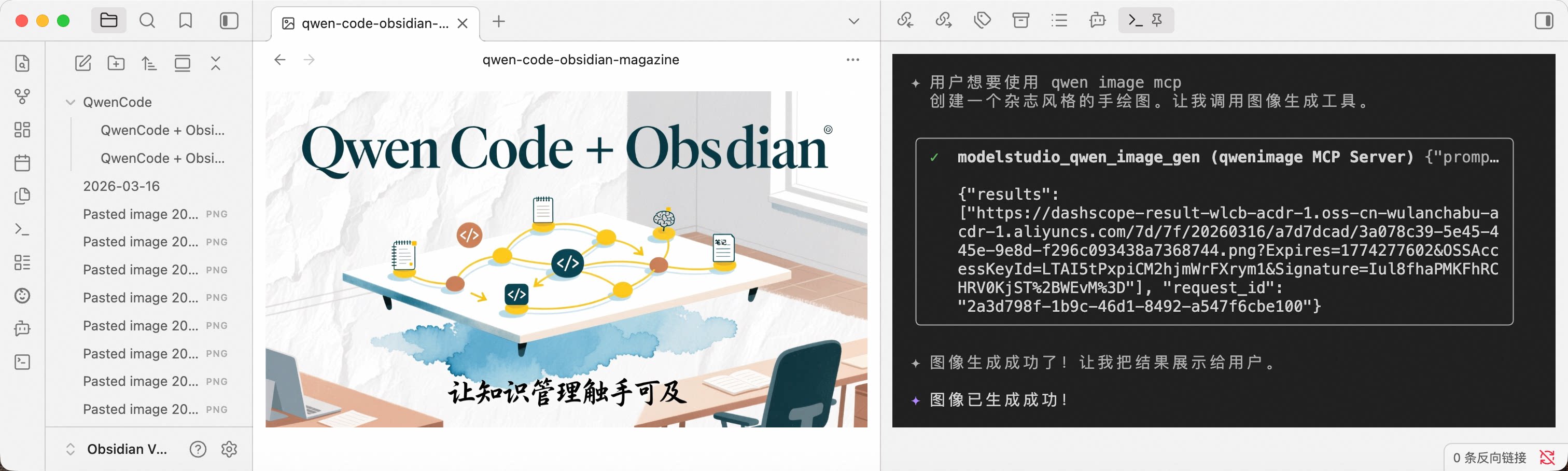
Tip 5: Use Playwright MCP to Access Protected Content
When writing, materials often reside in internal documentation products requiring login. You can let the Agent operate the browser, completing login and scraping content on your behalf.
In the previous step, we already configured the Playwright MCP service, so let’s use it directly:
Please use playwright mcp to fetch content from Yuque and summarize it into a 50-character central idea: https://aliyuque.antfin.com/pomelo.lcw/hwbywq/wrt6wn7u6p34t17uThe Agent will automatically open the browser, complete login (if you’ve previously saved login state in .playwright-mcp-profile), scrape the page content, and return a refined summary. You just wait a few seconds—no manual copy-paste needed.
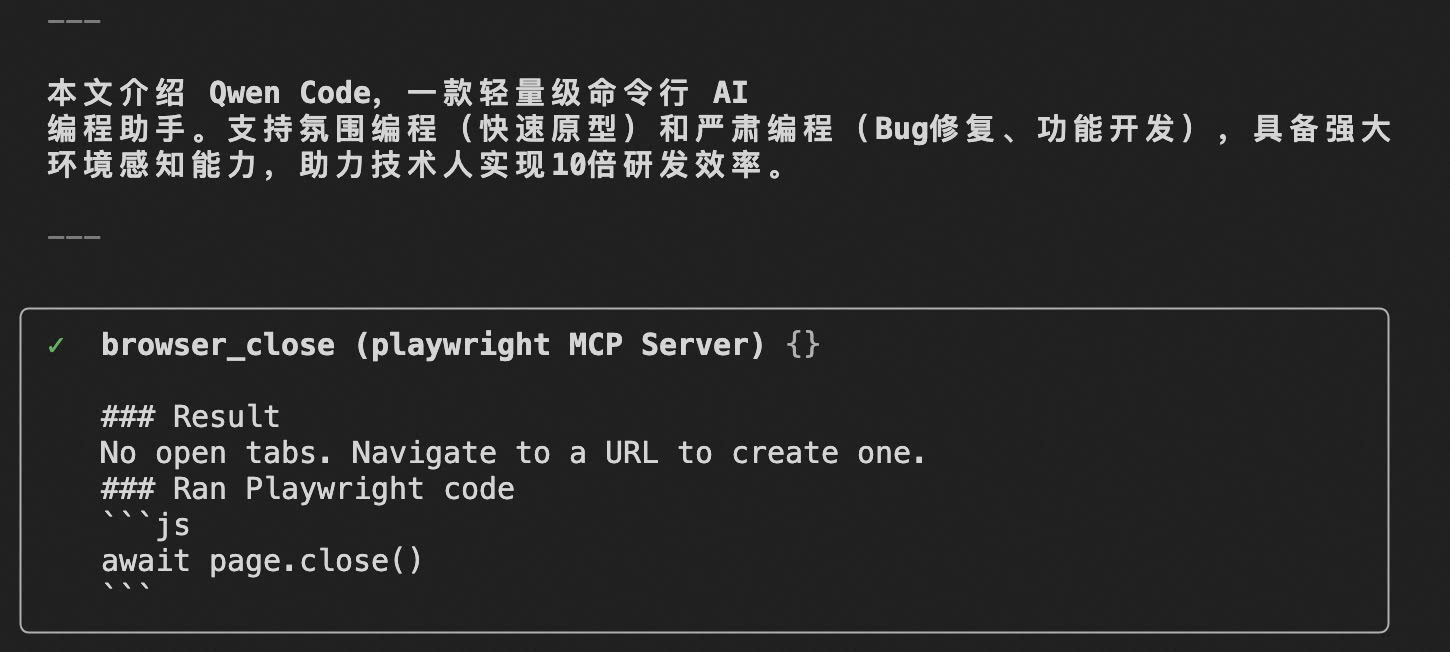
Tip: The first time you use it, Playwright will pop up a browser window requiring manual login. The login state will be saved in the
.playwright-mcp-profiledirectory, so subsequent calls don’t require repeated login.
Tip 6: Let the Agent Help Organize Your Knowledge Base
The previous tips focused on “single content production.” But what Obsidian users truly care about is knowledge base-level organization—tags, bidirectional links, MOC (Map of Content). This is exactly where Qwen Code excels in batch processing.
Auto-tagging: Let the Agent scan all notes in a specified directory, generate tag suggestions based on content, and write them to frontmatter:
Please scan all .md files in the /Notes/Reading directory, and add a tags field to the frontmatter for each note based on content (merge if already exists), using Chinese tags, no more than 5 per note.Generate MOC Index: When notes under a certain theme accumulate, manually maintaining an index page is tiring. Hand it to the Agent:
Please read all notes in the /Notes/Projects directory, group by project name, generate an MOC index page (Markdown format, using [[bidirectional link]] syntax), and save as /Notes/Projects/MOC.md.Complete Bidirectional Links: Notes are related, but you forgot to add links while writing?
Please scan all notes in the /Notes directory, find places where other note titles are mentioned in content but not linked with [[]], and help me automatically add bidirectional links. List changes for my confirmation before modifying.These “batch read → analyze → batch write” tasks are exactly where Agents are far more efficient than humans. You just describe the rules in the prompt, and Qwen Code automatically traverses and modifies.
Summary
By now, Qwen Code should be running smoothly in Obsidian. Let’s review the complete workflow we built:
- Writing phase: Use Skills for polish / expansion / translation, one prompt to handle it all
- Illustration phase: Use Qwen Image MCP to generate illustrations by description, no more searching stock sites
- Material collection: Use Playwright MCP to operate browsers, scrape internal documents requiring login
- Knowledge organization: Let Agent batch-tag, complete bidirectional links, generate MOC indexes
Finally, use a writing polish Skill like essay-polish for a full pass polish, completing the loop from “research → content creation → knowledge organization” in the same Vault.
Obsidian负责组织,Qwen Code 负责执行——这大概是目前最轻量的「AI 知识管理」方案了。希望对你有帮助。
Obsidian handles organization, Qwen Code handles execution—this is probably the lightest “AI knowledge management” solution available today. Hope it helps you.