Qwen Code Weekly: HTML Export Enhancement, Terminal GIF Recording, GitHub Workflow Commands
This week we released v0.11.1 with multiple stability fixes and feature enhancements. Meanwhile, development on the v0.12.0 branch continues with several noteworthy new features.
- Released stable version: v0.11.1
- v0.12.0 in development, multiple new feature PRs merged
✨ New Features
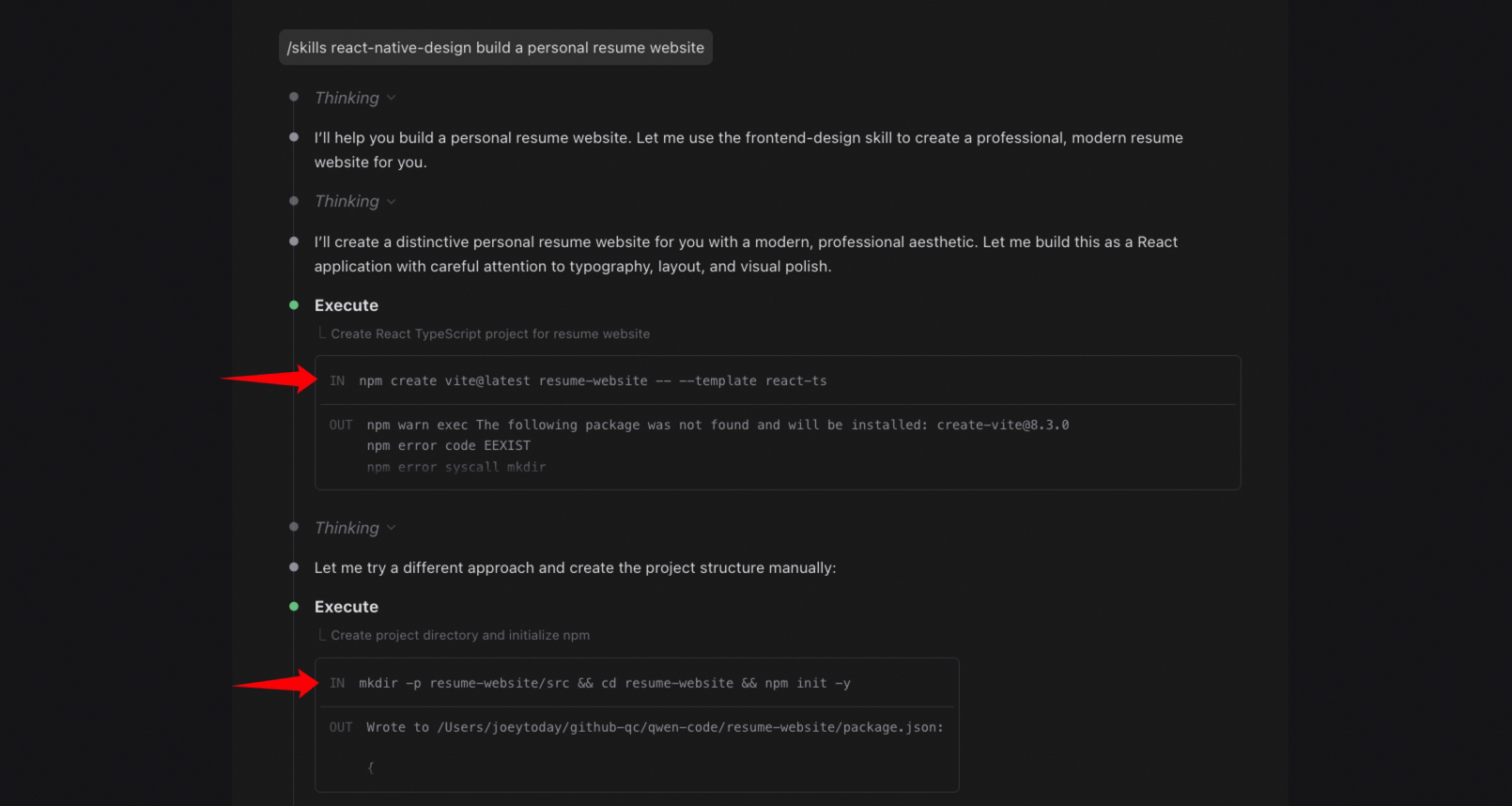
HTML Export: Tool Call Content Viewer
After exporting a session as an HTML file, clicking the IN / OUT labels on Shell tool calls now opens a modal window displaying the full content. Previously, clicking these labels had no effect. See PR #2085
Terminal Streaming Screenshots and GIF Generation
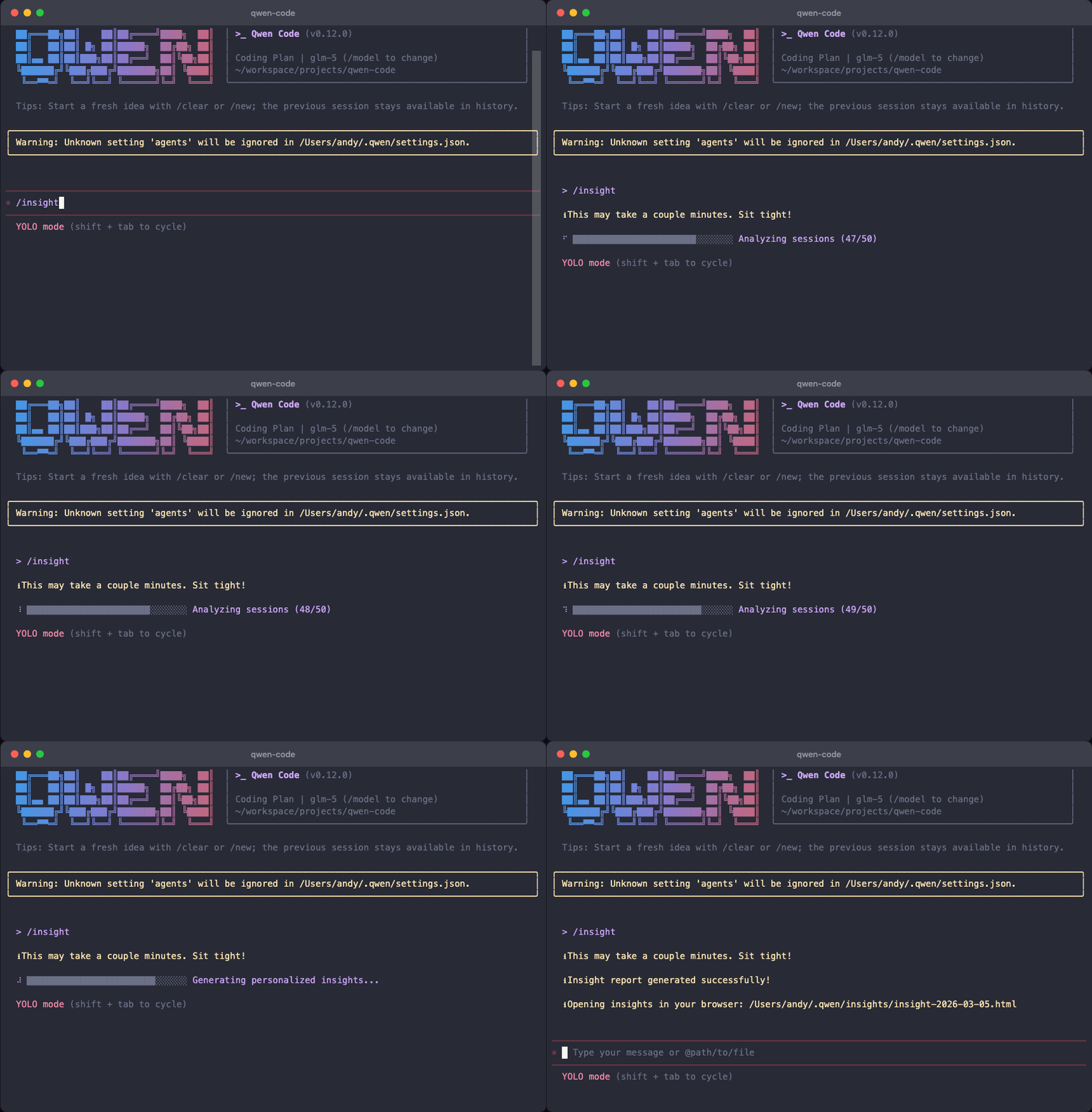
The terminal-capture tool now supports a streaming capture mode that takes screenshots at fixed intervals during command execution, ideal for recording progress bars, spinner animations, and other dynamic terminal output. After capture, ffmpeg is automatically invoked to compose a looping GIF. See PR #2116
Configurable options include screenshot interval, startup delay, and automatic stop when output stabilizes. If ffmpeg is not installed, GIF generation is skipped without interrupting the screenshot process.
Previously limited to static screenshots, you can now record the full command execution process, making it ideal for feature demos and tutorials.
👇 The following animation was entirely generated by Qwen Code during testing:
Built-in GitHub Workflow Commands
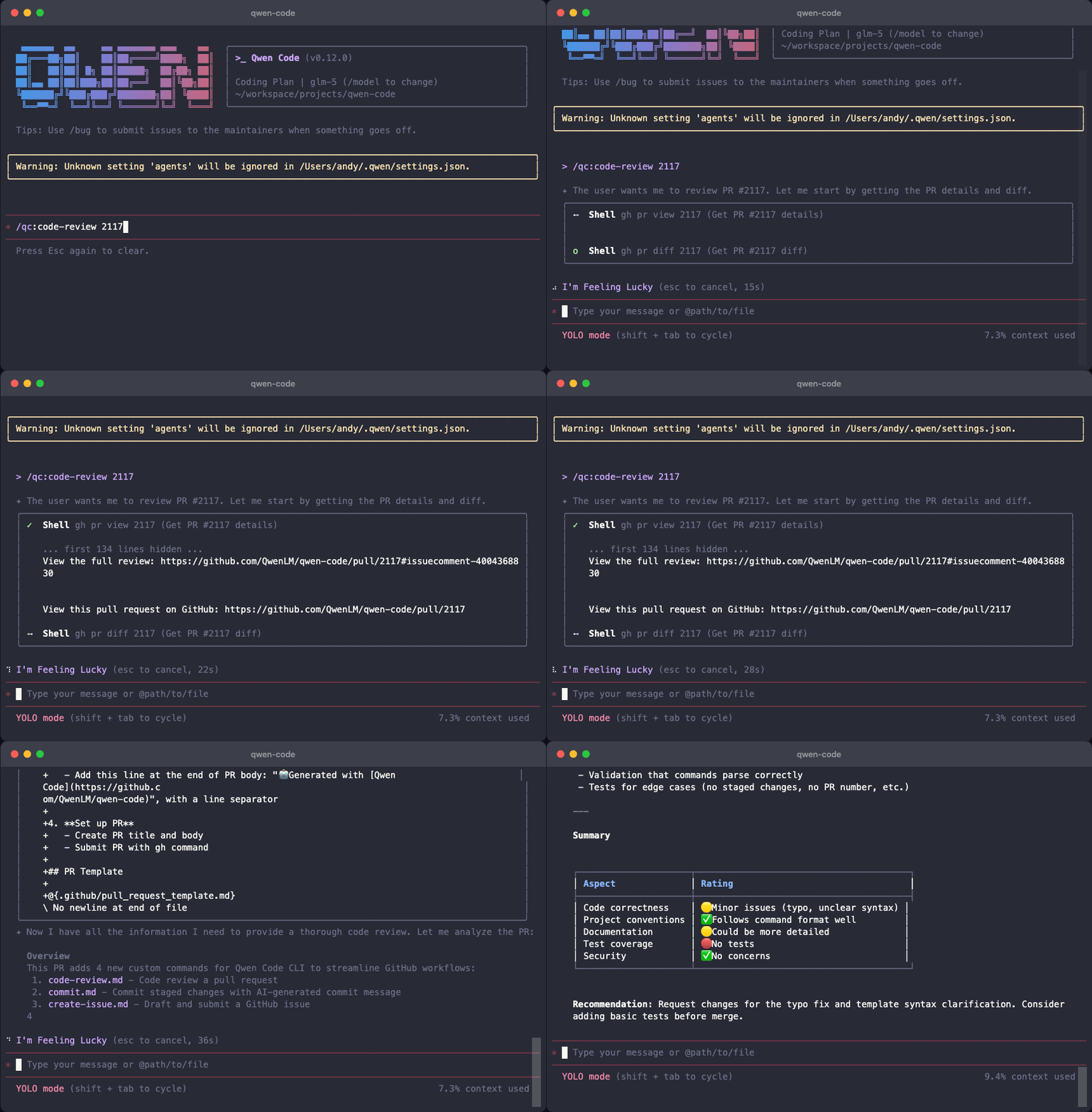
Four new built-in custom commands covering common GitHub operation scenarios, invoked via /qc:<command-name>. See PR #2117
/qc:code-review: Fetches PR details and diff, generates a code review report covering correctness, style, performance, and security/qc:commit: Analyzes staged changes, generates a commit message conforming to Conventional Commits spec, and handles branching automatically (avoids committing directly to main)/qc:create-issue: Drafts a GitHub Issue based on codebase context, automatically selecting the feature request or bug report template/qc:create-pr: Creates a fully structured Pull Request following the project’s PR template
AGENTS.md as Default Context File
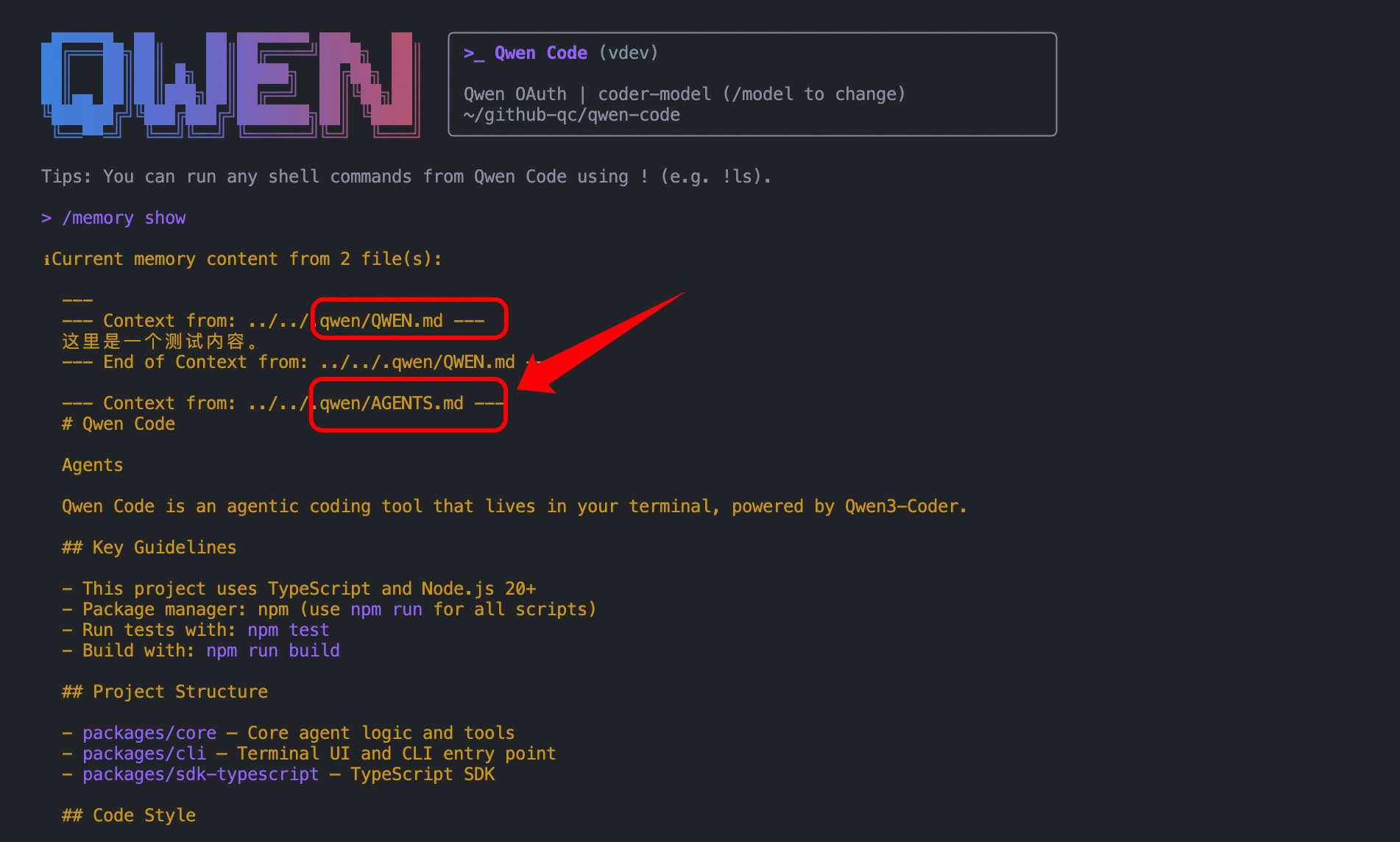
AGENTS.md in the project root is now automatically loaded as a context file, consistent with the behavior of GEMINI.md, CLAUDE.md, and similar files. No additional configuration is needed when working in multi-agent frameworks. See PR #2018
Ctrl+Y to Retry Failed Requests
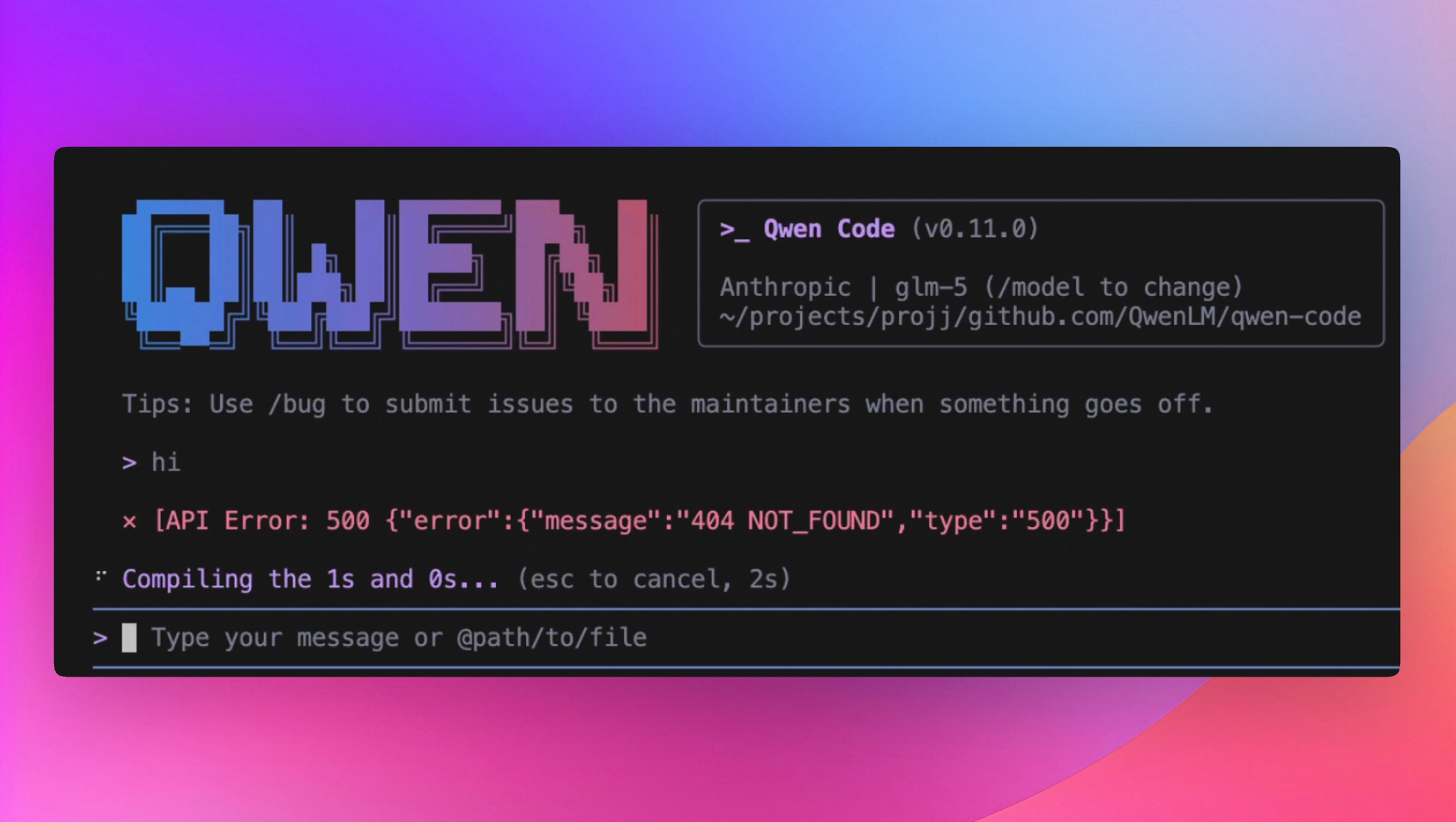
After a request fails, press Ctrl+Y to retry directly without re-entering the content. See PR #2011
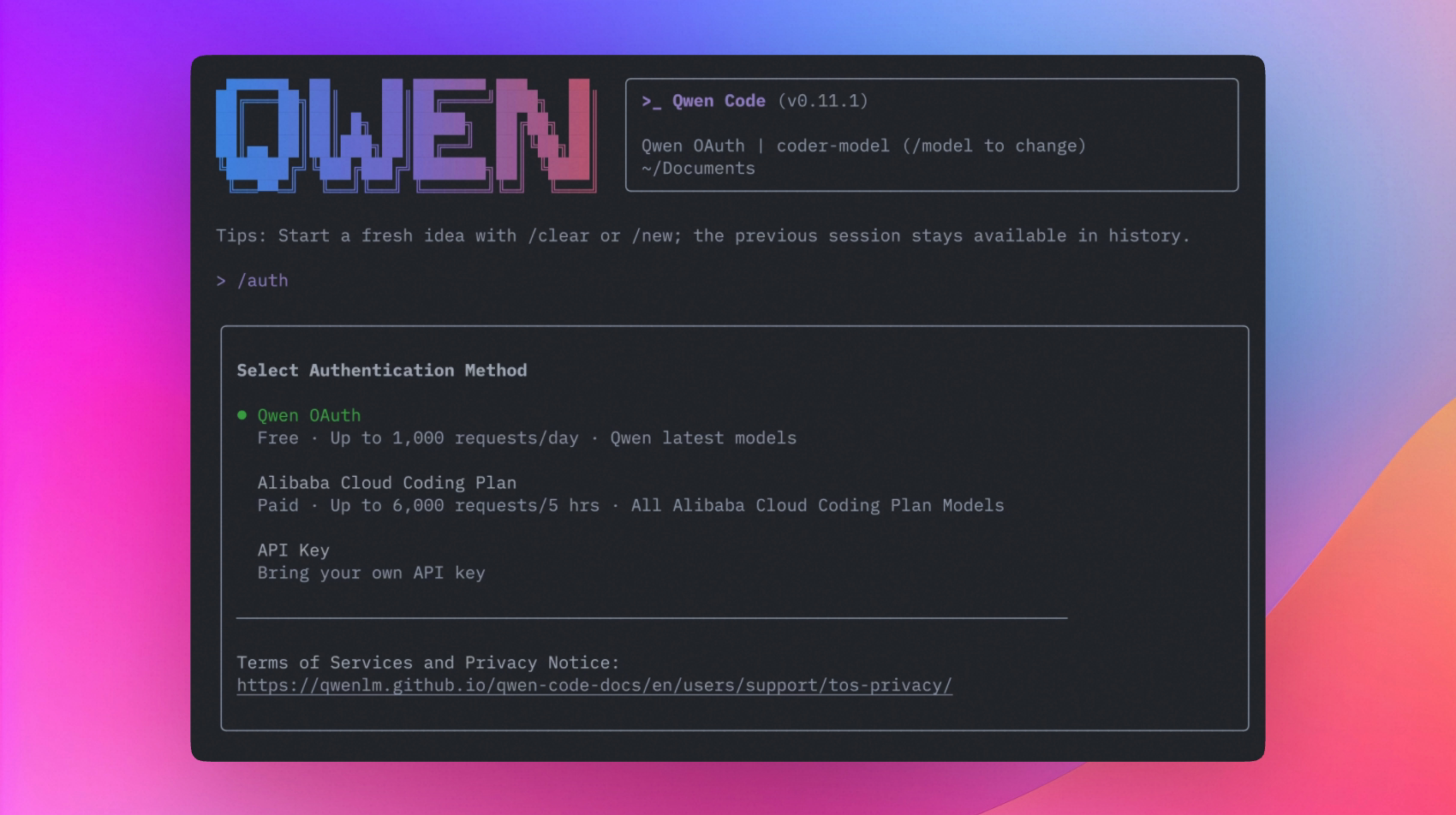
Auth Dialog Layout Improvement
The login dialog has been redesigned with a three-option layout for clearer distinction between options. See PR #2030
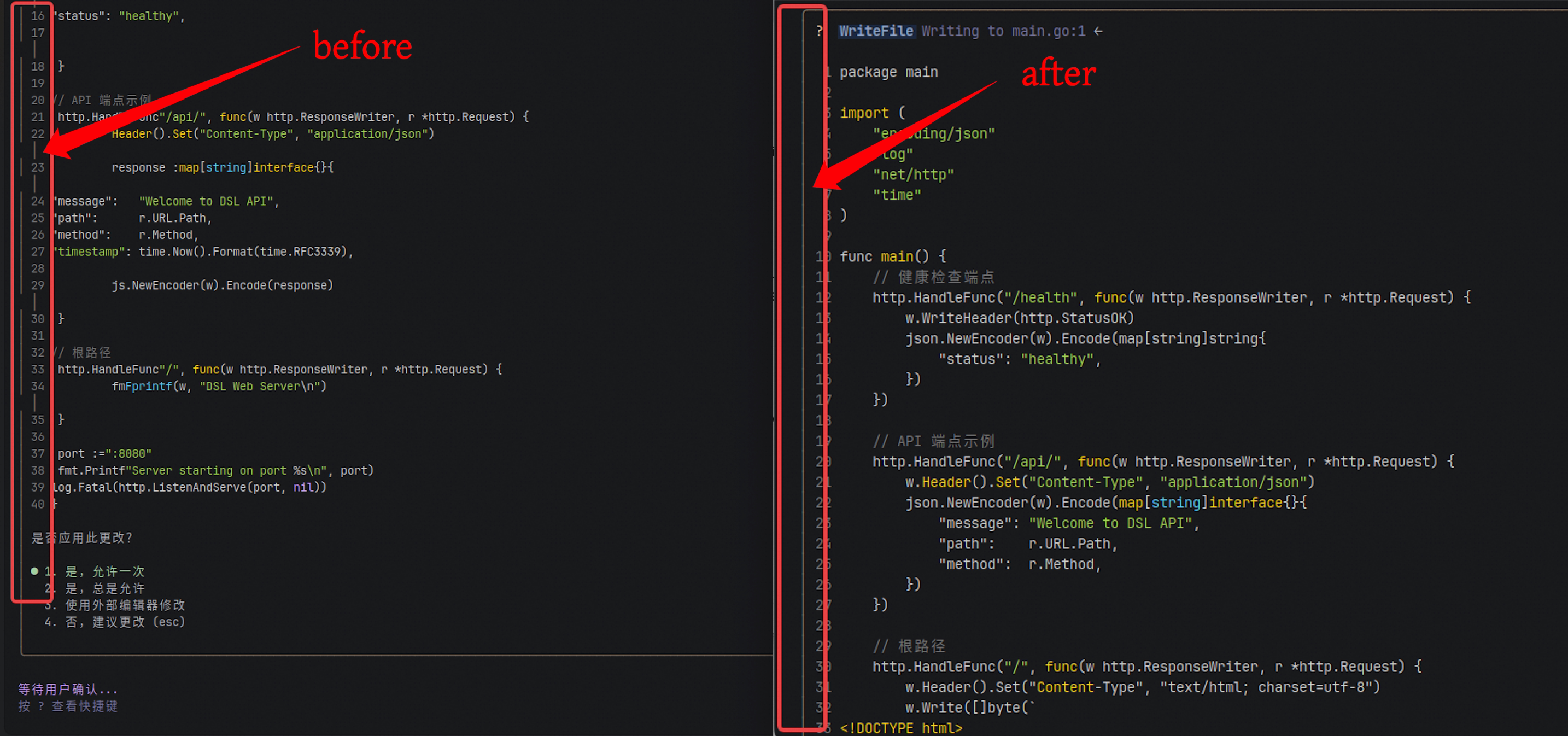
Code Highlight Tab Width Support
The code highlight component now supports a tabWidth configuration option. Tab characters are replaced with the corresponding number of spaces, resolving inconsistent tab display width in code blocks. See PR #2077
🔧 Important Fixes
| PR | Version | Issue | Impact |
|---|---|---|---|
| #2060 | v0.11.1 | DashScope subdomain URLs not recognized as DashScope provider | Users connecting via custom subdomains could not use DashScope |
| #2059 | v0.11.1 | ACP protocol missing session/set_config_option method, Zed editor unable to modify config via UI | Zed integration users could not update config items in the UI |
| #2021 | v0.11.1 | Truncated tool call output not detected and protected, potentially causing downstream parse errors | Stability issues in long-output scenarios |
| #1982 | v0.11.1 | Missing default modality value when reading PDF and other media files, causing API errors | Intermittent API errors when using file reading functionality |
| #2041 | v0.11.1 | Streaming output over-logged in session history, causing abnormally large log files | Log files consuming excessive disk space after extended use |
| #1995 | v0.11.1 | Rate limit error code 1305 not recognized, no auto-retry on rate limiting | Higher request failure rate in high-frequency usage scenarios |
| #1993 | v0.11.1 | Sub-agents not inheriting output-language.md language setting, inconsistent output language with main agent | Inconsistent language output in multi-agent scenarios |
Windows Platform Fixes
| PR | Issue |
|---|---|
| #2078 | Markdown command files with CRLF line endings or UTF-8 BOM cause frontmatter parse failure, command descriptions not displayed |
Zed Editor Integration Fixes
| PR | Issue |
|---|---|
| #2017 | ACP protocol compatibility issue, fixed Zed editor integration anomalies |
| #2059 | Added session/set_config_option support, Zed UI can now directly modify configuration |
Upgrade: Run npm i @qwen-code/qwen-code@latest -g to upgrade to the latest version.
For questions or suggestions, welcome to GitHub Issues !