Qwen Code Weekly: Token Limit Doubled, Real-time Usage Display, JetBrains Editor Support
This week we released v0.12.4 feature version and 2 bugfix releases, along with v0.13.0-preview preview version.
Want to try the preview features? Run npm i @qwen-code/qwen-code@v0.13.0-preview.1 -g to install.
After v0.12.0 launch, we received a lot of user feedback. This week we focused on fixing issues affecting user experience: Windows Chinese output encoding issues, interactive shell output loss, and API retry errors. On the feature side, we made comprehensive Token improvements: limit doubled to 16K, real-time usage display, and new /context command for detailed breakdown. We also added support for JetBrains and Zed editors.
✨ New Features
Token Limit Doubled: Read More Context, Get More Information
Output Token limit increased from 8K to 16K, allowing AI to read more context and generate more complete responses. It also auto-detects model’s max_tokens setting, no manual configuration needed.
Use Cases:
- AI can read more file content and understand larger project structures
- Generate more complete code and documents without piecing together segments
- Auto-adapt to different models’ Token limits without worrying about exceeding limits
Real-time Token Usage Display (Preview)
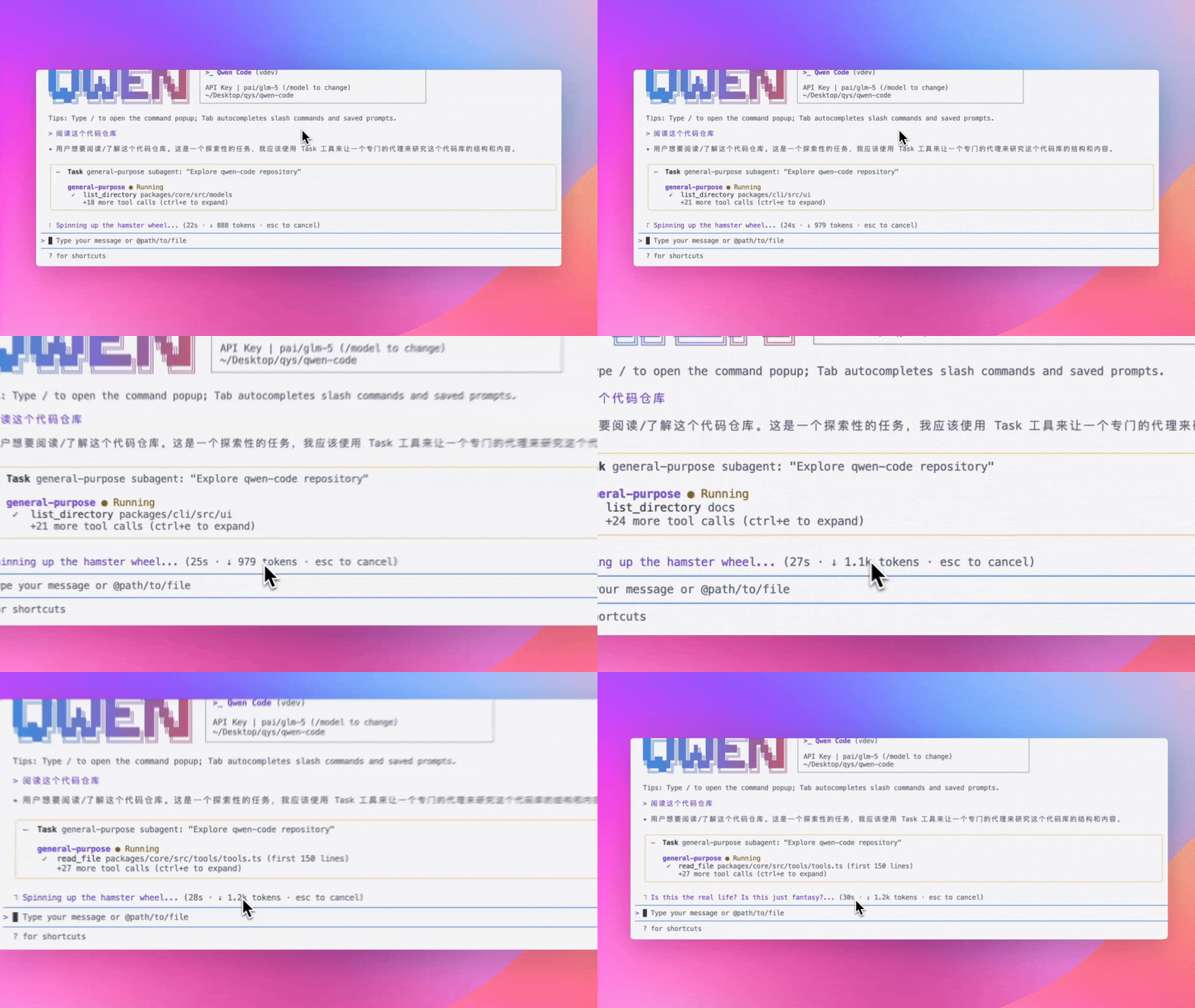
During AI thinking and generation, the interface shows Token consumption in real-time. No need to wait for conversation to end—know your Token usage anytime.
Use Cases:
- See Token consumption in real-time during conversations
- Adjust promptly when consumption is abnormal to avoid waste
- Compare Token costs of different tasks to optimize usage
See PR #2445
/context Command: View Token Usage Breakdown (Preview)
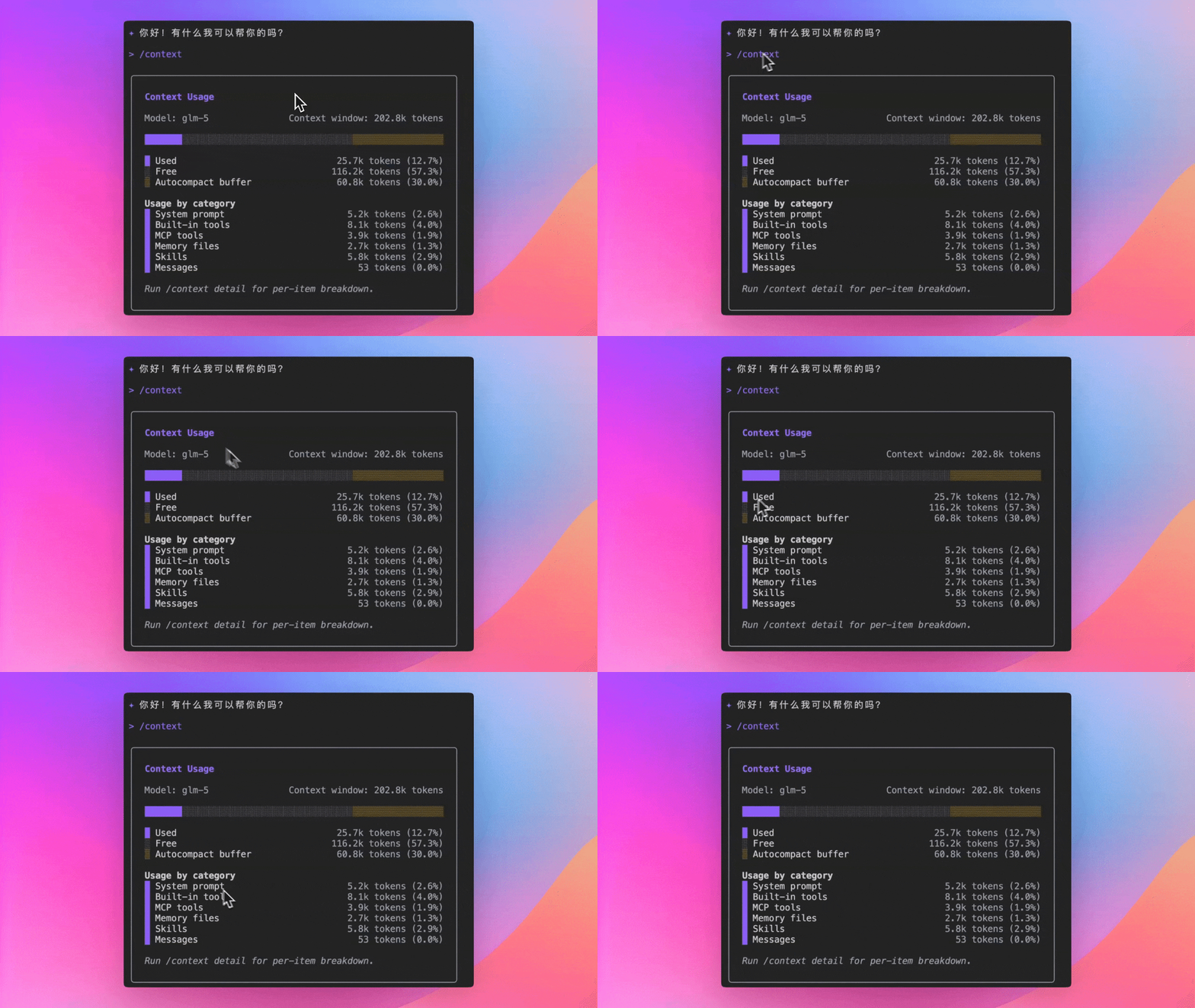
Use /context command to see detailed Token consumption in context window: which files are using how many Tokens, how much space is left—all at a glance.
Use Cases:
- View current conversation’s Token usage, know how much more content can fit
- Discover which files are using too many Tokens and decide if cleanup is needed
- Optimize context usage to keep AI focused on key content
See PR #1835
Zed and JetBrains Editor Integration
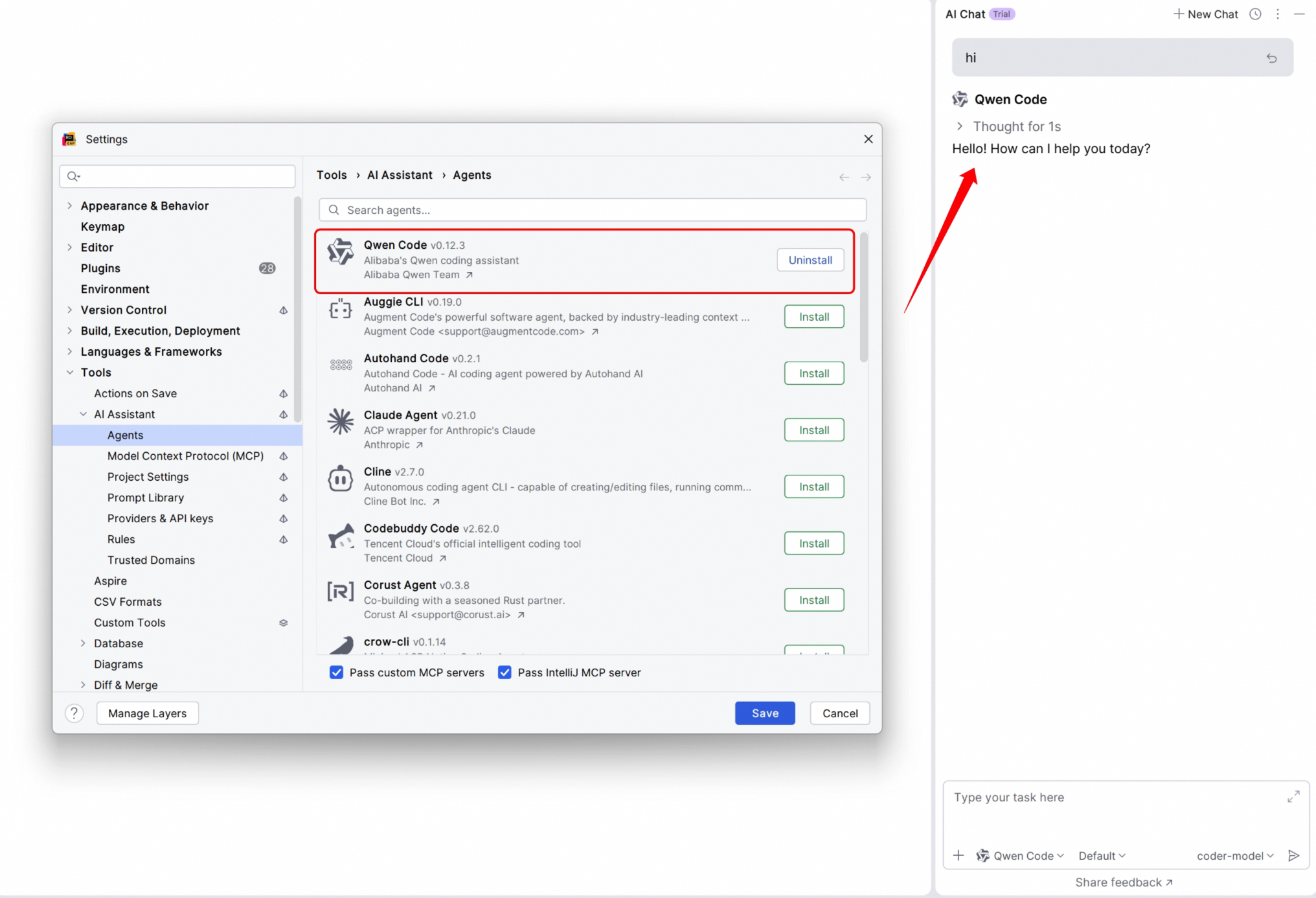
Besides VS Code, Qwen Code now supports Zed and JetBrains series editors (IntelliJ IDEA, PyCharm, WebStorm, etc.). See PR #2372 .
Use Cases:
- Use Qwen Code directly in JetBrains IDEs without switching windows
- Zed editor users can also enjoy AI coding assistant
- Unified experience across different editors, no need to re-adapt when switching tools
Documentation:
Plan Mode: Rejected Plans Now Visible
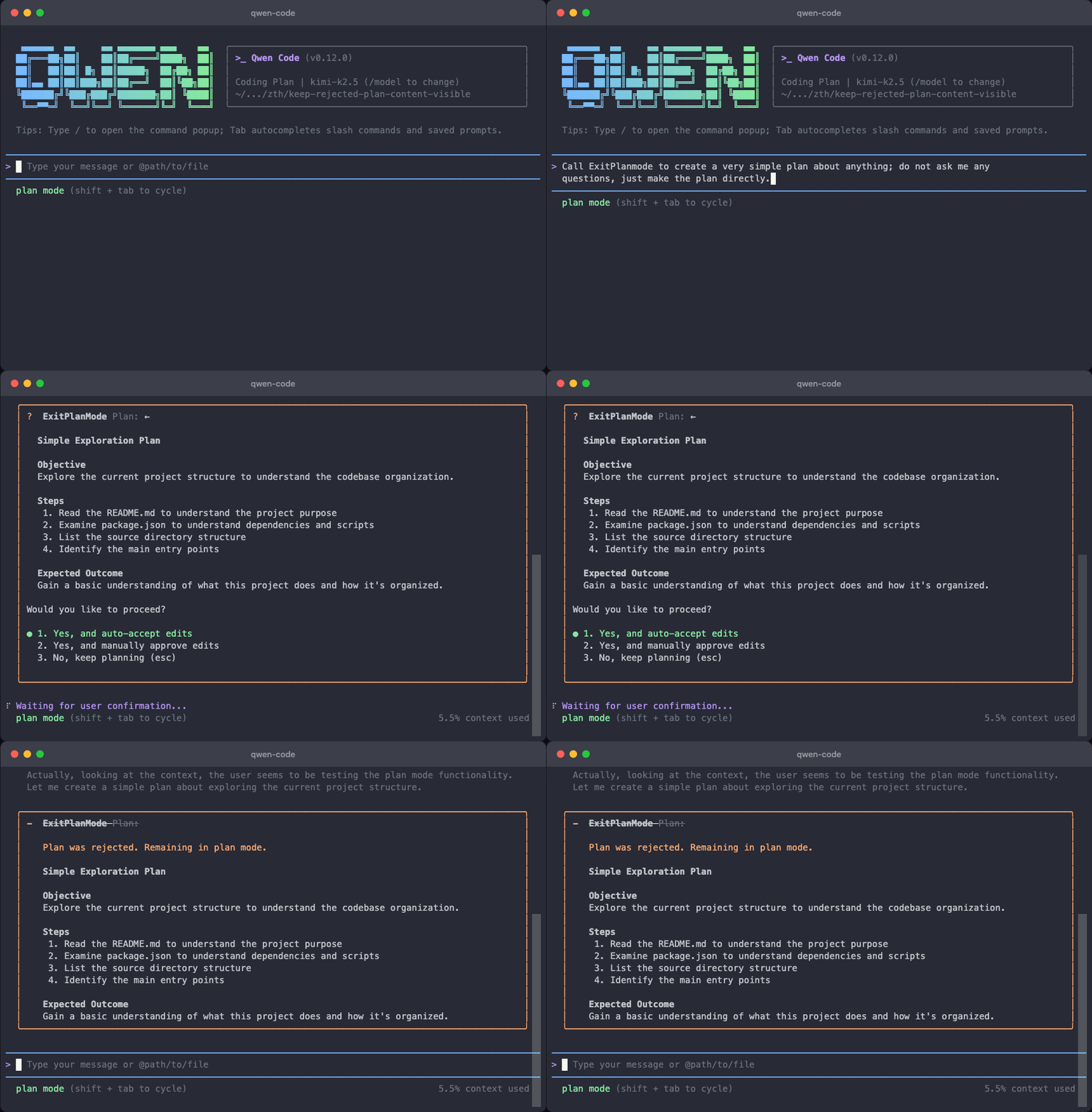
In Plan Mode, when AI’s proposal is rejected by you, the content doesn’t disappear. You can compare different proposals and choose the most suitable one.
Use Cases:
- Compare multiple proposals from AI and choose the best solution
- Review previous content after rejection without asking AI to regenerate
- More intuitive proposal comparison for more confident decisions
See PR #2157
Support for .agents Directory (Preview)
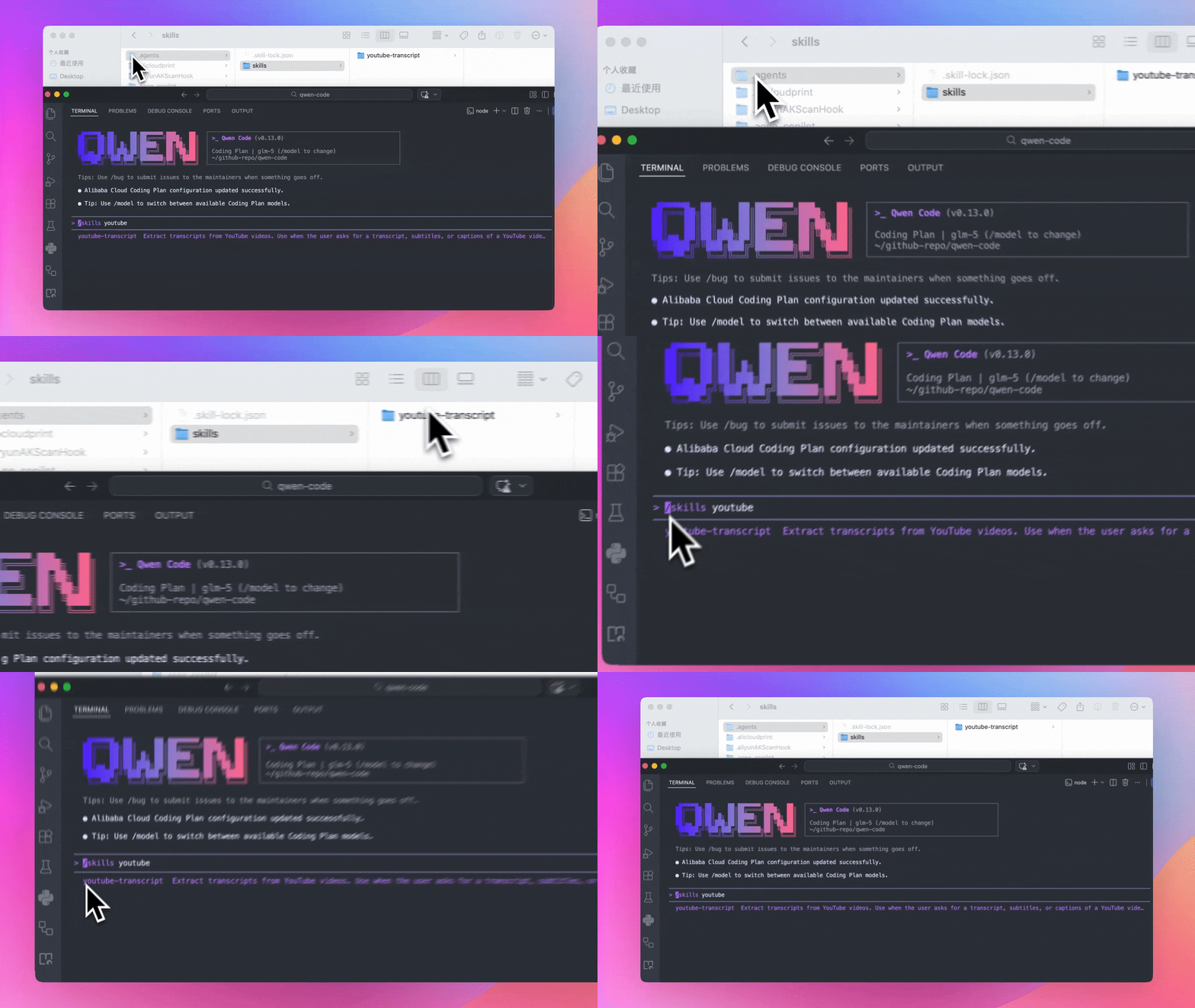
Skill files can now be placed in project’s .agents directory, managed together with project code. Team members can use the same skill configuration after cloning the project.
Use Cases:
- Put project-related skills in
.agentsdirectory for version control with code - Team members share skill configuration without manual setup one by one
- Different projects can have independent skill configurations without interference
See PR #2202
Session Export with Metadata and Statistics (Preview)
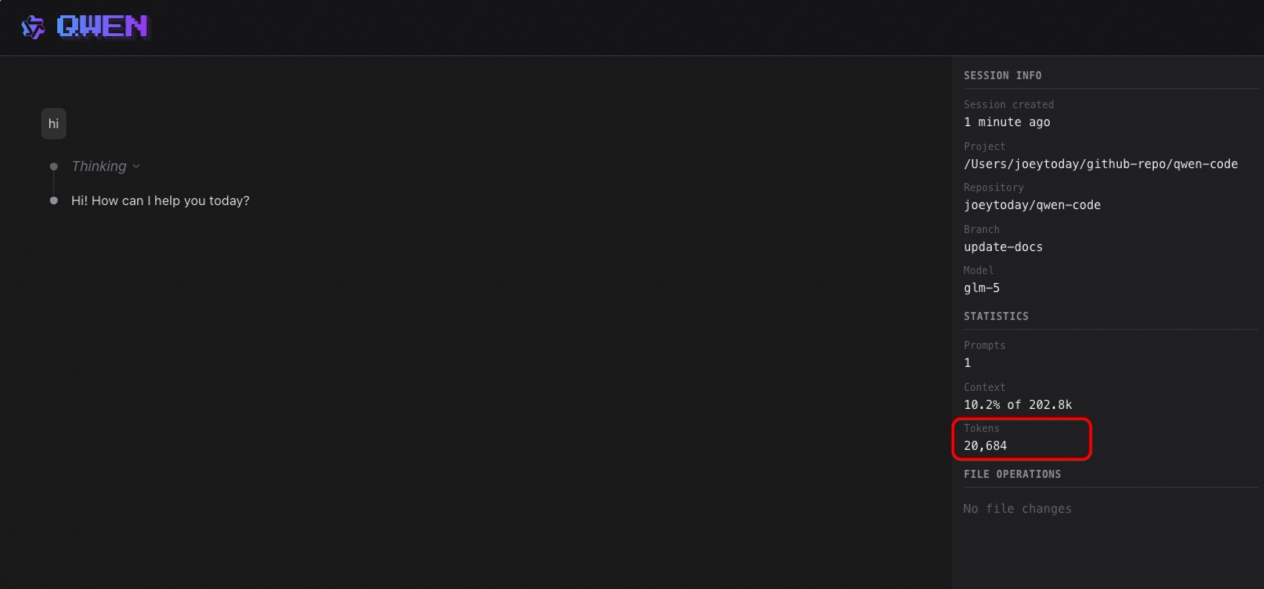
When exporting sessions, metadata and statistics are now included: conversation time, Token consumption, message count, etc. Convenient for archiving and usage analysis.
Use Cases:
- Automatically record conversation time and Token consumption when exporting for easy review
- Analyze usage patterns statistically to understand your usage habits
- Archive important conversations with complete information
See PR #2328
📊 Improvements
- Shell Output No Longer Floods Screen: Large output is automatically truncated, tool output is more concise, won’t slow down response due to lengthy output (#2388 )
- Slash Command Description Localization:
/helpand other commands’ descriptions support multi-language display (#2333 )
🔧 Important Fixes
| PR | Version | Fix | Impact |
|---|---|---|---|
| #2423 | v0.12.5 | Fixed Windows non-ASCII output encoding issue | Chinese, Japanese and other non-English output no longer garbled on Windows |
| #2438 | v0.12.6 | Improved max_tokens handling with conservative defaults | Avoid errors from certain models due to excessive max_tokens |
| #2024 | v0.12.4 | Reject PDF files to prevent session corruption | Opening PDFs no longer causes session issues |
| #2389 | v0.12.4 | Fixed interactive shell fast output loss | Command output no longer loses content |
| #2367 | v0.12.4 | Fixed API retry errors | No more mysterious API errors |
| #2280 | v0.12.4 | Fixed Hooks JSON Schema type definition | No more type errors when configuring Hooks |
Windows Platform Specific Fixes
| PR | Fix | Impact |
|---|---|---|
| #2423 | Fixed non-ASCII output encoding issue | Chinese, Japanese and other non-English output displays correctly |
| #2286 | Fixed extension installation failure | Installing extension via git clone no longer fails on Windows |
| #1904 | Normalized Windows PATH environment variable | More stable environment variable handling during shell execution |
macOS Platform Specific Fixes
| PR | Fix | Impact |
|---|---|---|
| #2391 | Fixed sandbox permission issue | Terminal device access works properly in macOS sandbox environment |
🎈 Other Improvements
- Added 7 new contributors: @netbrah , @chen893 , @hs-ye , @drewd789 , @Sakuranda , @kiri-chenchen , @ShihaoShenDev
- Added Docker sandbox runtime and Java usage documentation (#1642 )
- Improved VS Code prompt cancellation and streaming race condition handling (#2374 )
How to Upgrade:
- Stable version:
npm i @qwen-code/qwen-code@latest -g - Preview version:
npm i @qwen-code/qwen-code@v0.13.0-preview.1 -g
If you have questions or suggestions, feel free to provide feedback on GitHub Issues !