JetBrains IDEs
JetBrains IDEs provide native support for AI coding assistants through the Agent Client Protocol (ACP). This integration allows you to use Qwen Code directly within your JetBrains IDE with real-time code suggestions.
Features
- Native agent experience: Integrated AI assistant panel within your JetBrains IDE
- Agent Client Protocol: Full support for ACP enabling advanced IDE interactions
- Symbol management: #-mention files to add them to the conversation context
- Conversation history: Access to past conversations within the IDE
Requirements
- JetBrains IDE with ACP support (IntelliJ IDEA, WebStorm, PyCharm, etc.)
- Qwen Code CLI installed
Installation
Install from ACP Registry (Recommend)
-
Install Qwen Code CLI:
npm install -g @qwen-code/qwen-code -
Open your JetBrains IDE and navigate to AI Chat tool window.
-
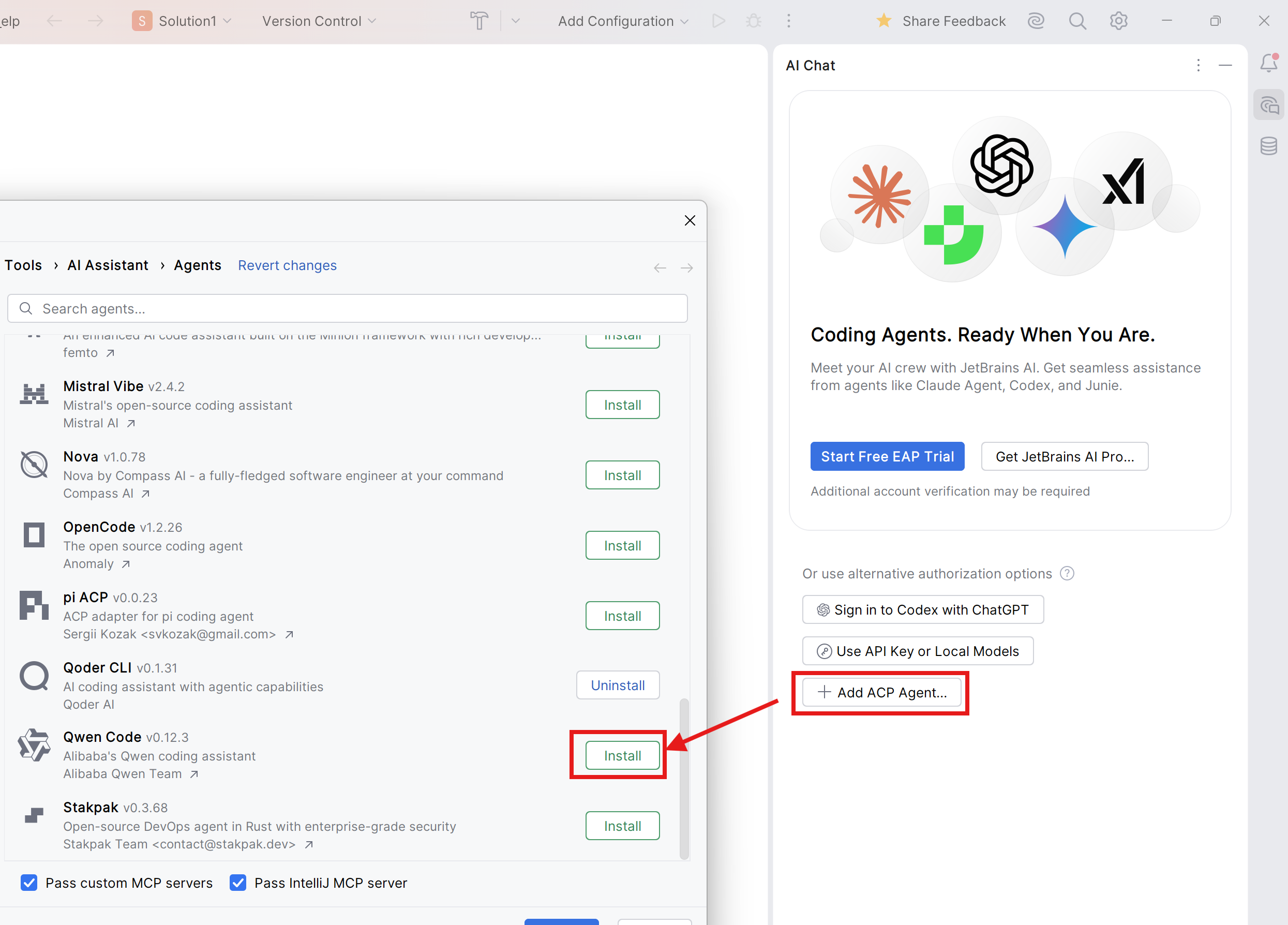
Click Add ACP Agent, then click Install.
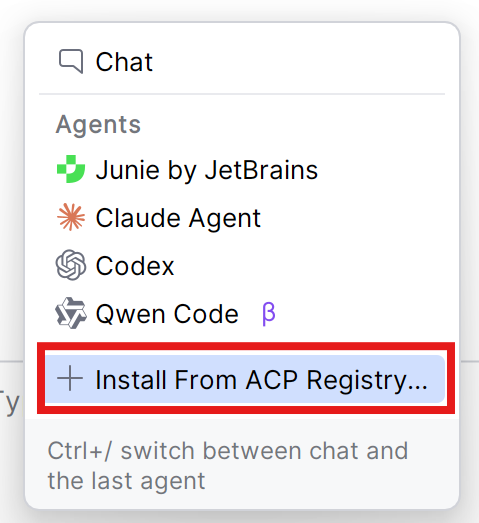
For users using JetBrains AI Assistant and/or other ACP agents, click Install From ACP Registry in Agents List, then install Qwen Code ACP.
-
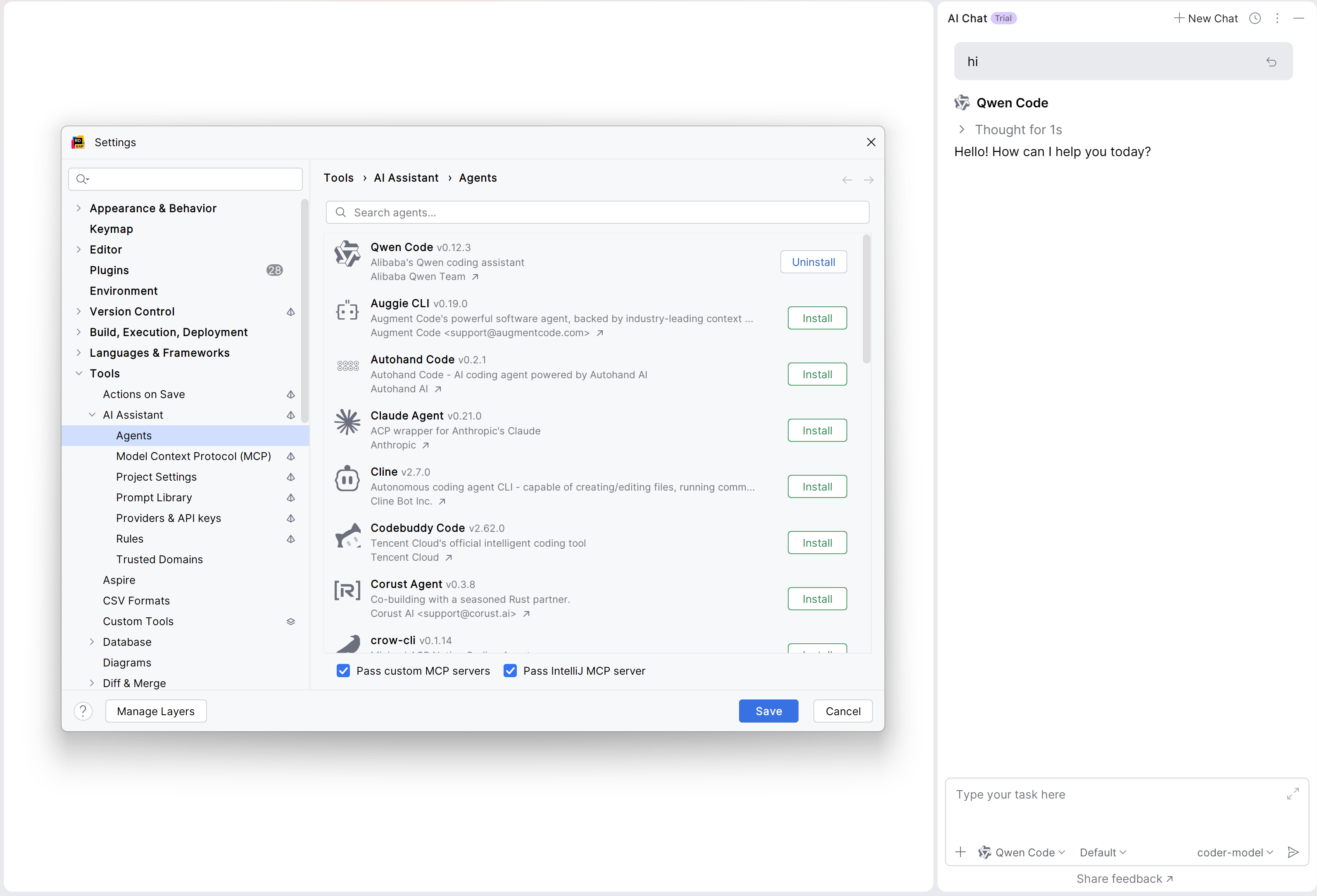
The Qwen Code agent should now be available in the AI Assistant panel.
Manual Install (for older version of JetBrains IDEs)
-
Install Qwen Code CLI:
npm install -g @qwen-code/qwen-code -
Open your JetBrains IDE and navigate to AI Chat tool window.
-
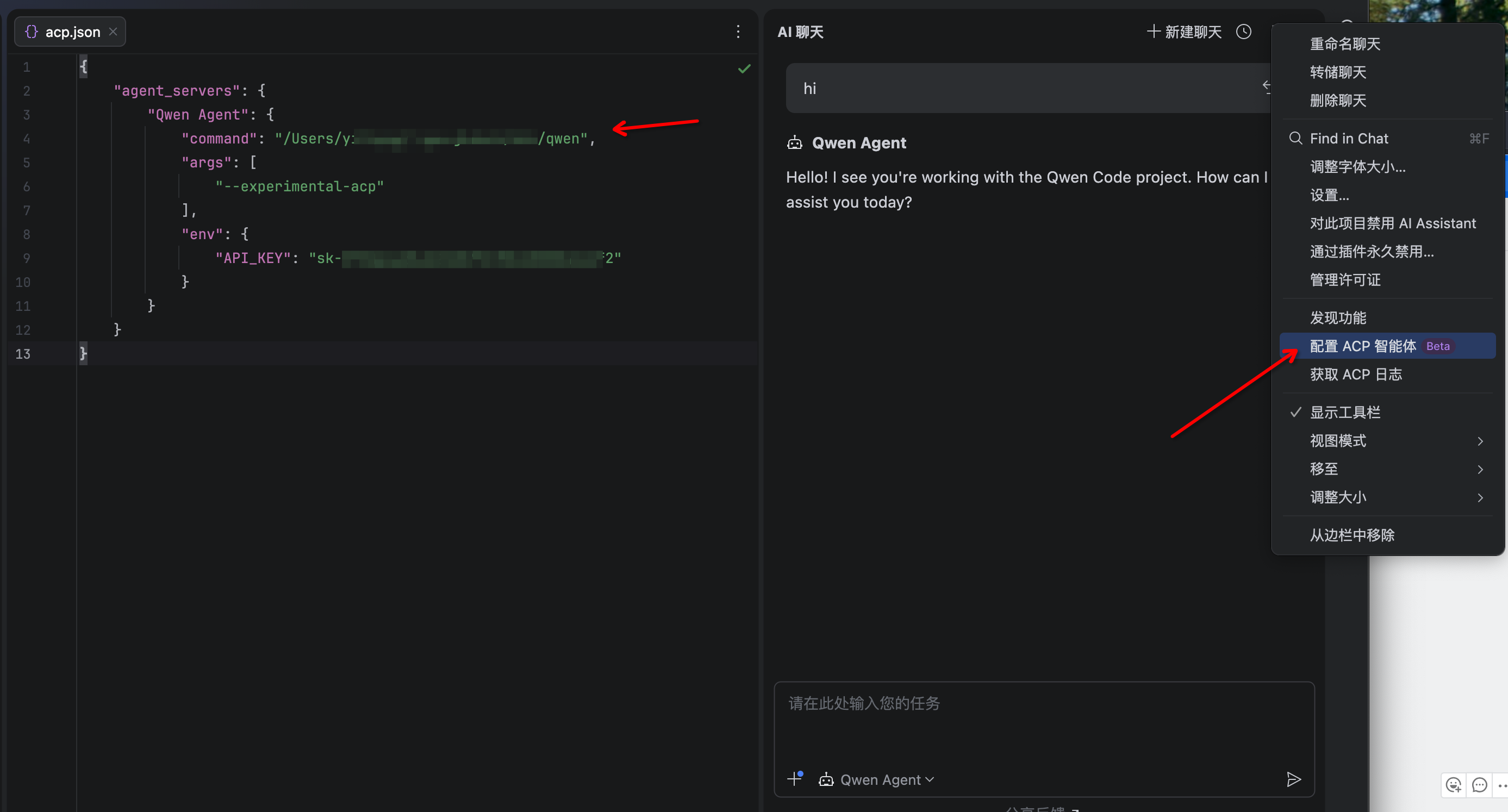
Click the 3-dot menu in the upper-right corner and select Configure ACP Agent and configure Qwen Code with the following settings:
{
  "agent_servers": {
    "qwen": {
      "command": "/path/to/qwen",
      "args": ["--acp"],
      "env": {}
    }
  }
}- The Qwen Code agent should now be available in the AI Assistant panel
Troubleshooting
Agent not appearing
- Run
qwen --versionin terminal to verify installation - Ensure your JetBrains IDE version supports ACP
- Restart your JetBrains IDE
Qwen Code not responding
- Check your internet connection
- Verify CLI works by running
qwenin terminal - File an issue on GitHub if the problem persists