Announcing Qwen Code: An AI Coding Agent That Thinks Like a Programmer
If AI is to change the world, the first step it takes is to transform the digital world. Qwen Code is not just a command-line tool; it is a programmer companion you can summon from your terminal at any time.
In the past year, the paradigm of AI programming has shifted dramatically. From the early Chat mode to Copilot’s completion mode, and now to today’s autonomous Agent mode. Today, we are excited to introduce Qwen Code, an AI programming tool developed by Alibaba Tongyi Lab.
It is open-source, free, and powered by the robust Qwen3-Coder model. Not only can it write code through chat-like interactions in the terminal to bring your inspirations to life instantly, but it also deeply integrates into your development workflow to fix bugs, refactor code, and handle complex tasks with ease. Moreover, it’s a versatile companion that can write articles, draw charts, and seamlessly blend into your daily work.
What is Qwen Code?
We completed the product introduction site for Qwen Code simply through conversation. Throughout the process, Qwen Code thinks and acts like a real programmer:
- Deconstruct Tasks: Creates a comprehensive To-do List.
- Write Code: Automatically reads/writes files and executes scripts.
- Self-Correction: Automatically debugs when encountering errors.
- Deliver Results: Delivers not just code, but entire Web applications or documentation.
You no longer need to guide it step-by-step with instructions like “write this function” or “change that variable.” It is no longer a tool that requires extensive manuals; it is a true coding partner, autonomous and efficient.
Why Choose Qwen Code?
1. Powerful Core: Powered by Qwen3-Coder
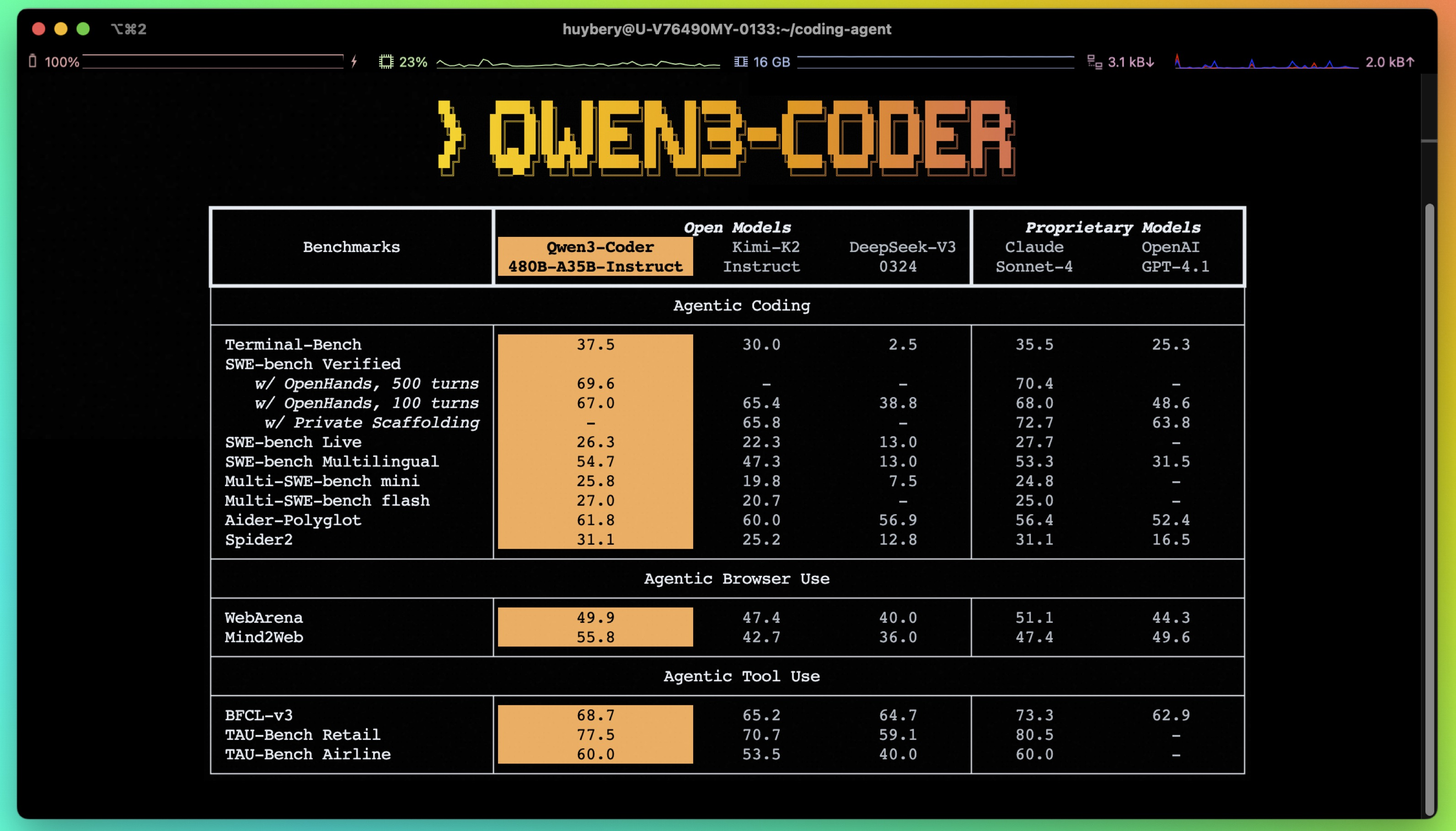
Qwen Code is built on the powerful Qwen3-Coder model and is deeply optimized for it. During the training phase, we enabled the model to understand tools, and the framework was adapted to the model. It demonstrates exceptional capabilities in code generation, reasoning, and long-context understanding.
2. True Agentic Workflow
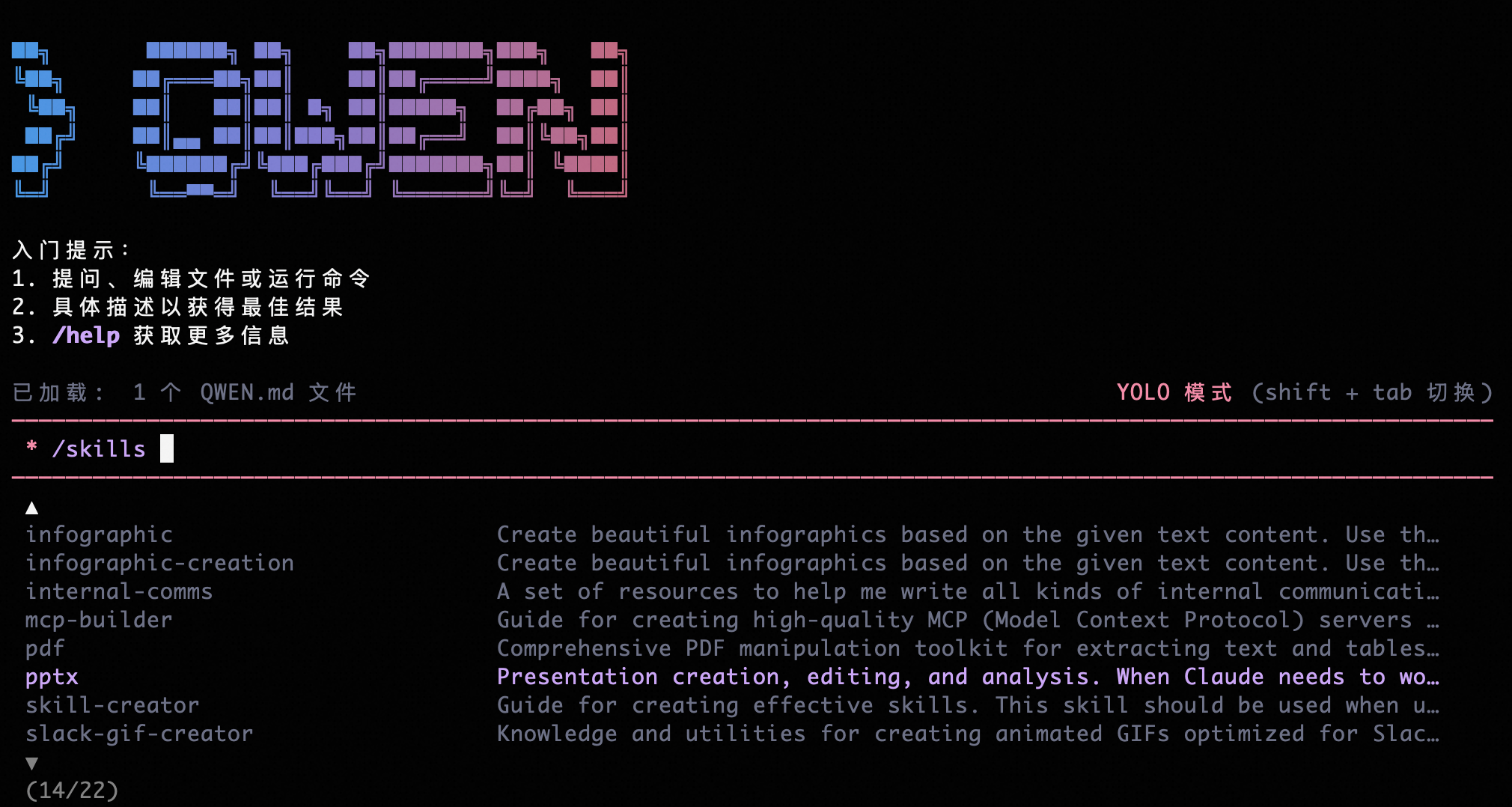
Qwen Code features advanced capabilities like Skills, SubAgents, and Plan Mode, making the Agent more autonomous and reliable. The Approval Mode ensures work safety by allowing step-by-step confirmation, or you can enable YOLO Mode to let the AI operate with full autonomy.
3. Full-Scenario Coverage: Everywhere You Need
While Qwen Code was born in the terminal, it is not limited by it. It is small enough yet powerful enough to exist in five distinct environments:
- Terminal Environment: The choice for geeks. Launch it in your Terminal for coding and creativity within a sleek interactive interface.
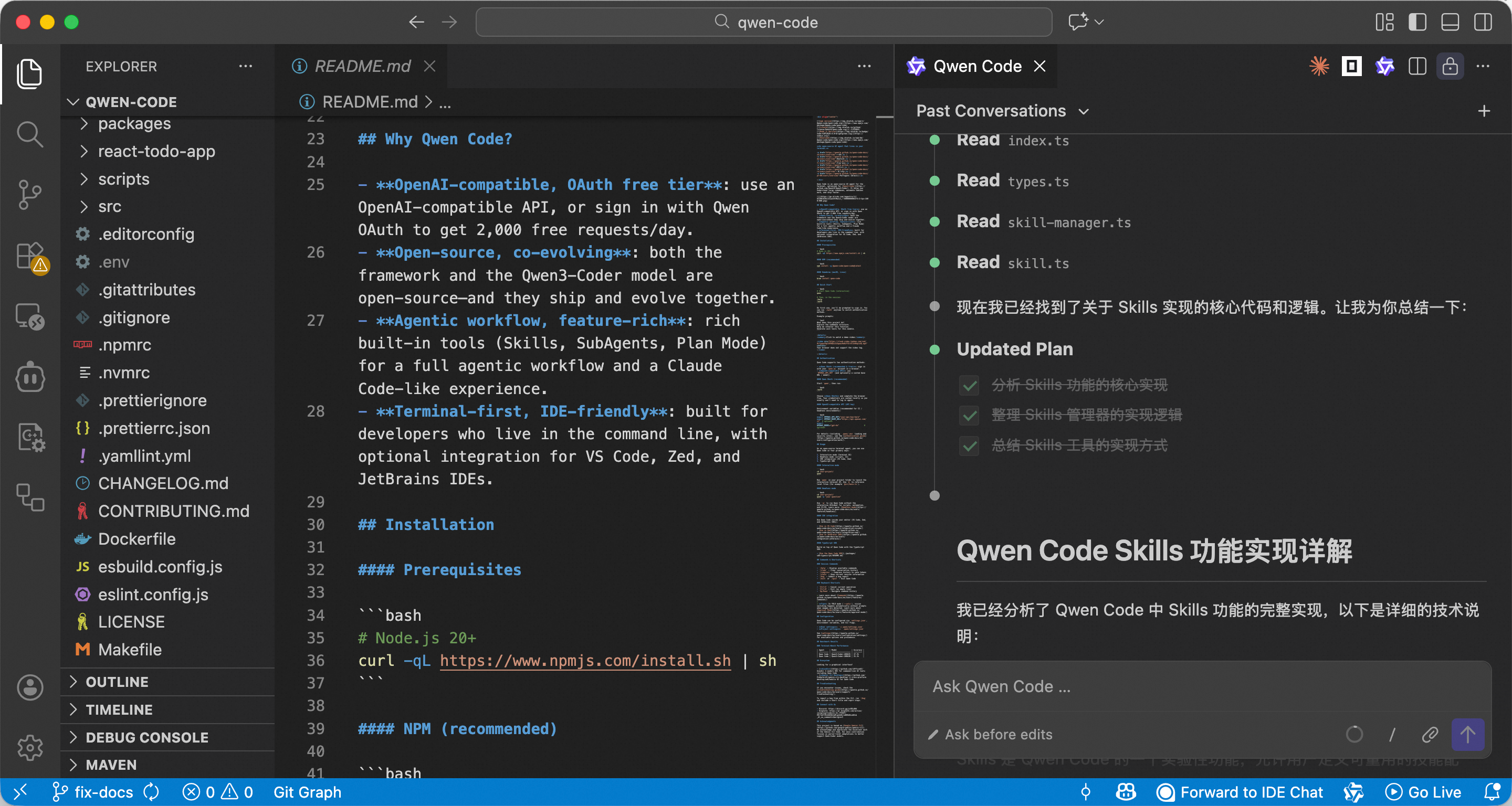
- IDE Environment: The preferred choice for most developers. It supports mainstream editors like VS Code, Qoder, Zed, and JetBrains, offering both GUI convenience and the power of CodeAgent.
- CI/CD Environment: Use
qwen -pto start Headless Mode. You can mention @QwenCode in GitHub Actions to have it automatically reply to issues, review code, or submit PRs. - Browser Environment: An experimental feature that integrates Qwen Code into a browser extension, allowing it to perceive webpage states and analyze parameters—a great helper for debugging and data scraping.
- Programming Environment: Use the Qwen Code SDK to bring intelligent coding capabilities into your own environment, currently supporting Node.js and Java.
4. Commitment to Open Source and Free Access
We are committed to an open-source and free strategy. In this era of rapid AI Coding iteration, we believe open source provides peace of mind, and free access encourages users to explore more possibilities.
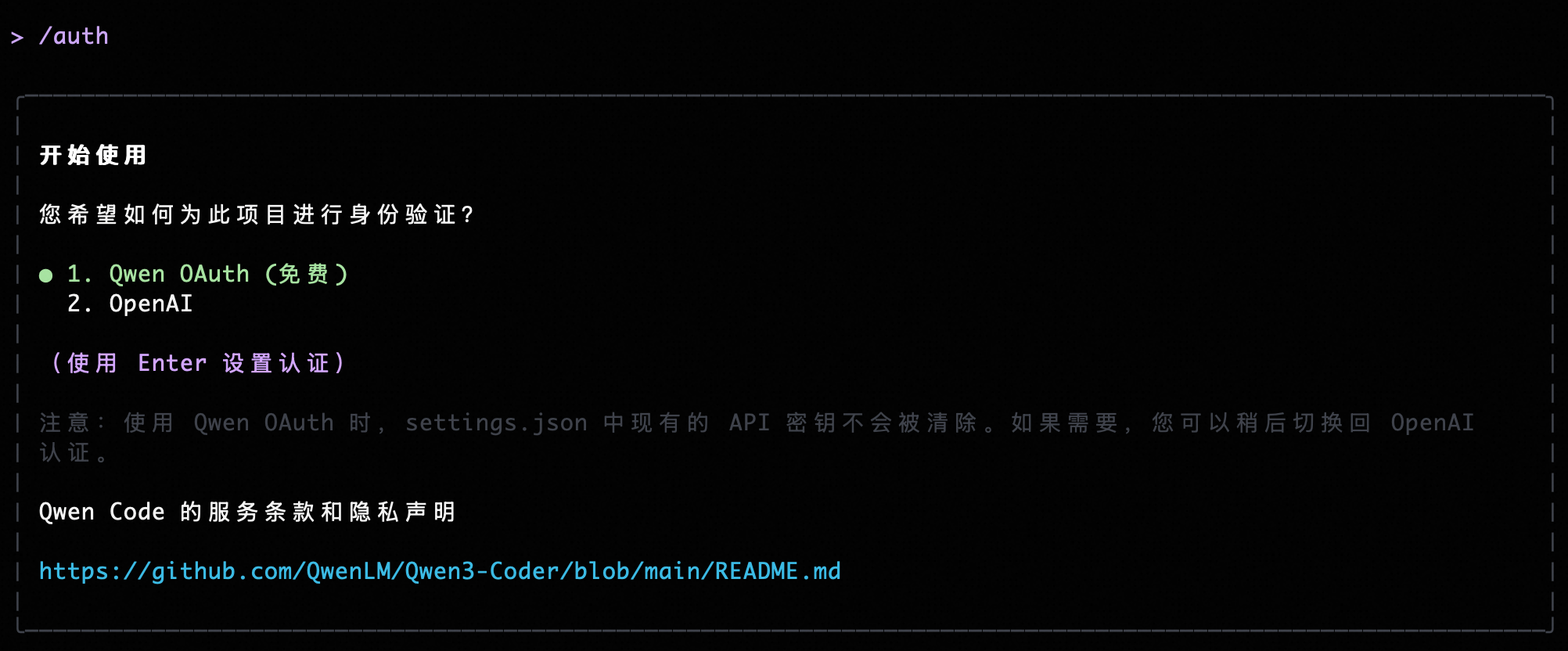
- Free Usage: Log in via Qwen OAuth to enjoy a daily quota of 1,000 free requests.
- Protocol Compatibility: As an open-source project, we are compatible with mainstream protocols like Anthropic, Google Gemini, and OpenAI.
Case Study: Qwen Code Beyond Coding
The imagination of Qwen Code goes far beyond just writing code. It is also an all-around assistant. Take a look at a popular community feature: Skills, and see how Qwen Code becomes a “godsend” for content creators:
With a custom Skill, Qwen Code can automatically download YouTube subtitles, extract summaries, generate illustrations, and output a complete blog post.
Get Started Now
Qwen Code is now fully open-sourced on GitHub with 17.4k Stars. Get started in three easy steps:
- Install (Requires Node.js 20+):
npm install -g @qwen-code/qwen-code@latest - Launch:
qwen - Authenticate:
Type
/authin the session and select Qwen OAuth to begin your AI programming journey.
🔗 Links & Resources
- GitHub: github.com/QwenLM/qwen-code
- Official Docs: qwenlm.github.io/qwen-code-docs
Join Our Community!
Qwen Code thrives on community contributions and user feedback. Many of our key features, like the Java SDK, VS Code plugin, and Chrome extension, were co-built with our partners. If you’re interested in Qwen Code, come and build with us!
Finally, we are hiring! The Qwen Code project is looking for AI Full-Stack talent across all levels. Feel free to reach out via DingTalk!
Embrace the new era of AI Coding, starting with Qwen Code in your terminal.