One Prompt to Generate Covers: I Built an AI Cover Generation Skill with 4 Styles for WeChat Official Accounts
The most annoying thing about writing for WeChat Official Accounts isn’t the content itself—it’s finding a cover image afterward.
Every time I finish an article and need to publish, I agonize over the cover. Before AI, I’d search on Unsplash (which loads painfully slow now). I even tried making covers in Keynote, like this:
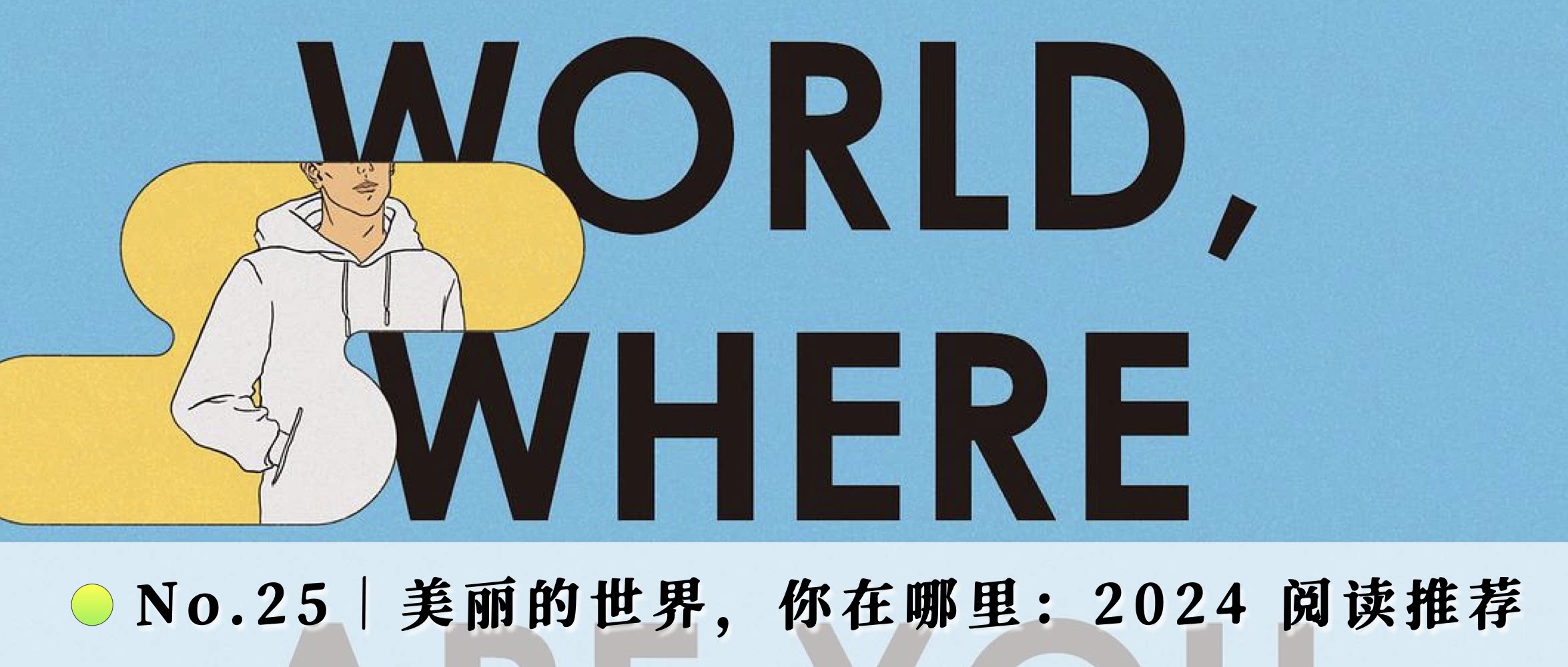
It’s actually simple—just a specific image combined with title text. Since that’s the case, AI can totally handle this now. But asking AI to generate directly often produces stuff that’s “technically correct but weird.” My content styles vary a lot—some are essays, some are tool-focused. For certain themes I want dark tones, for technical tools I want minimalist abstract styles, for cultural commentary I want that editorial magazine feel. Each one needs fresh composition, color schemes, and prompts. Quite tedious.
So I just built a Skill to let Qwen Code + Model Studio CLI handle this for me.
What It Does
Give it an article title or topic, and it automatically analyzes tone, picks a style, refines the title, builds prompts, and calls Model Studio to generate images.
Four styles covering my main WeChat Official Account scenarios. Take a look—there’s still plenty to improve, and I’m iterating continuously:
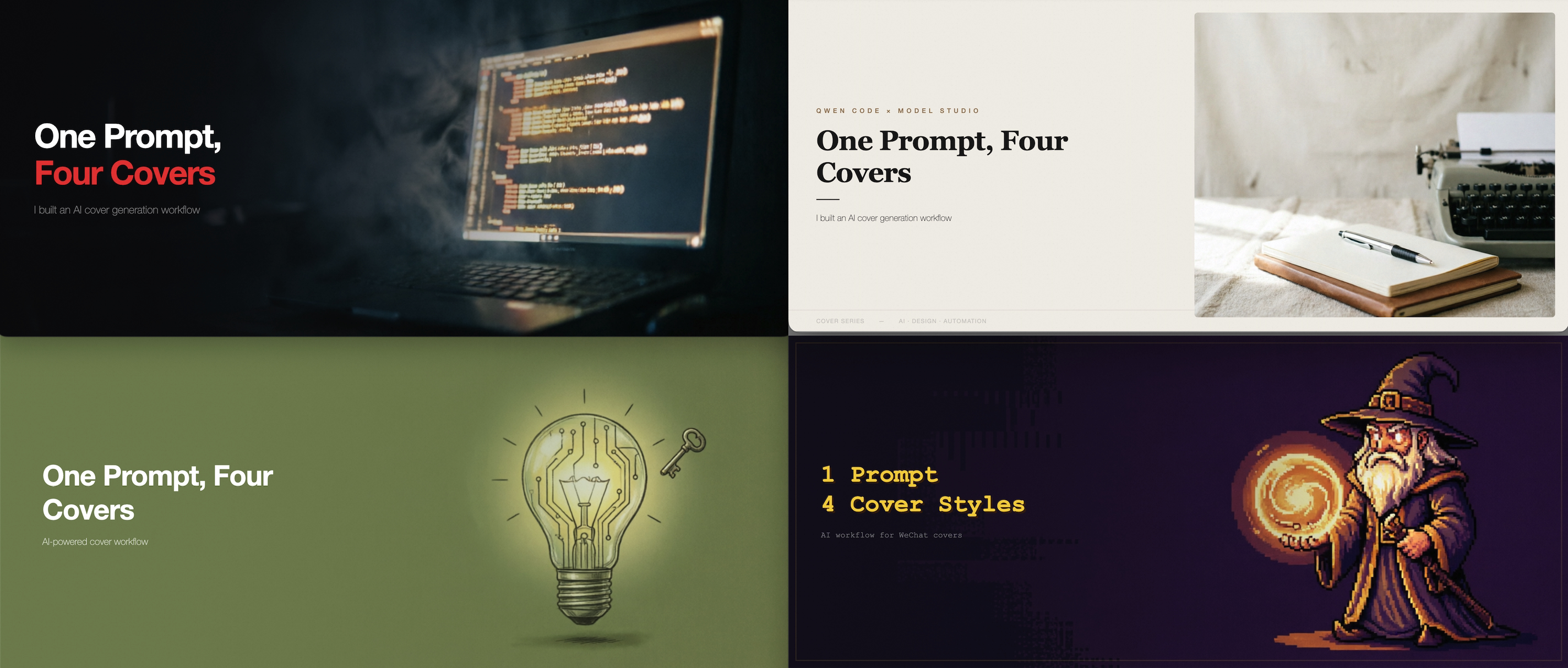
- 01 Bold Poster: Dark cinematic background + left gradient overlay + large white text with one keyword highlighted in red. Great for deep commentary, historical topics, social observations.
- 02 Magazine: Left text, right framed image in split-column layout with paper texture. Great for cultural criticism, book reviews, character narratives.
- 03 Minimalist Abstract: Full-bleed illustration + monochrome color overlay for immersive single-tone feel. Great for tech blogs, product introductions, concept explanations.
- 04 Pixel Art: 16-bit pixel art fill + dark purple overlay + golden pixel text. Great for tool reviews, casual content, nostalgic topics.
The Stack: Qwen Code + Model Studio CLI
Image generation is powered by Alibaba Cloud Model Studio’s command-line tool. Model Studio CLI is a multimodal AI toolbox in your terminal—chat, image generation, video generation, speech synthesis, knowledge retrieval, all from the command line. Here we mainly use image generate.
Why use it:
- Qwen Code calls it directly—the Skill has command templates, AI fills parameters and runs, I don’t need to worry about it
- Free quota available—qwen-image-2.0 has free usage quota, enable “stop when exhausted” to avoid charges
- Precise size control—
--size '1344*572'outputs 2.35:1 widescreen ratio, Playwright @2x rendering exports 2688×1144 HD PNG
After installing my skill, just one prompt:
/open1v-mpcover-gen Generate a WeChat cover based on @your-article.md, <optionally specify style, use magazine style>Here’s a walkthrough of the entire process—you can also generate all styles at once:
How to Use
❶ Install Qwen Code, refer to https://qwenlm.github.io/qwen-code-docs/en/users/quickstart/
npm install -g @qwen-code/qwen-code@latest❷ Get a Model Studio API Key: https://bailian.console.aliyun.com/cn-beijing?tab=model#/api-key
Go to the model usage page and enable “Stop when free quota is exhausted” to prevent unexpected charges: https://bailian.console.aliyun.com/cn-beijing?tab=model#/model-usage
❸ Install the cover skill. Launch Qwen Code and type:
Help me install this skill: https://github.com/joeytoday/open1v-mpcover-gen❹ Start using it: After installation, just tell Qwen Code:
Make me a WeChat cover. The article title is “Qwen Code × Model Studio CLI Cover Generation Guide”
The AI will analyze the content tone, ask which style you prefer (or auto-select), refine the title, build English prompts, call Model Studio to generate images, and output two alternatives.
More Usage Examples
Specify a style directly:
Make a minimalist cover, theme is API Security
Provide more context:
I wrote an article about Legalist philosophy, make me a magazine-style cover
Batch generation:
I wrote three articles this week, titles are xxx / yyy / zzz, make one cover for each
Who Is This For
- You write for WeChat Official Accounts and always get stuck at the cover step
- You have some aesthetic standards and don’t want generic templates
- You’re comfortable working in the terminal, or willing to try
- Model Studio has free quota, zero cost to get started
❌ Not suitable for: Those needing precise Chinese typography (use Figma/Canva instead), those needing real photos, or those needing more elaborate covers.
Design Philosophy
Why not just have AI generate an image with title text? Because AI-generated Chinese characters are basically gibberish. So it’s split into two steps: Model Studio generates background → HTML overlays text → Playwright screenshots export PNG. The image handles atmosphere; text is precisely controlled by CSS.
The benefit is extremely low iteration cost—changing a title only requires editing HTML text and re-rendering (2 seconds), no need to regenerate the image (30 seconds). Overlay too heavy or light, colors off—it’s all just changing one line of CSS.
The four styles weren’t decided arbitrarily—they’re categorized by how readers feel in their feed:
- “Has attitude” → Dark background with bold text, visual impact
- “Has taste” → Split columns with whitespace, editorial aesthetics
- “Very clear” → Single tone, minimal cognitive load
- “Fun” → Pixel art breaks conventions
Each style corresponds to a text-image distribution pattern—full overlay, split column, color overlay—ensuring text remains readable regardless of the background image.
The Skill is open source on GitHub and under continuous iteration. If you’re using Qwen Code + Model Studio, give it a try. If you like it, a star ⭐️ would be appreciated.
🔗 https://github.com/joeytoday/open1v-mpcover-gen
This content was written by the author with AI-assisted editing and optimization. Core opinions and personal experiences are the author’s own and represent only the creator’s personal views.