Qwen Code Weekly: /fork Background Agents, /skills Management Panel, Cross-Project Memory
Qwen Code releases v0.18.0-preview (preview.0 / preview.1 / preview.2) this week with 50+ PRs merged, covering three major directions:
Agents can finally work in parallel. The /fork command lets you dispatch a background agent mid-conversation — inheriting full context, tools, and model config while you continue working in the main thread. Fork notifies you via the background task panel when done.
Skill management has a panel. Previously Qwen Code’s skill system had no unified entry — you had to remember each skill name to use it. /skills now opens a picker dialog for browsing, searching, enabling/disabling, one-click execution, and workspace-level visibility management.
Memory goes cross-project. Previously auto-memory only accumulated in the current project directory — switching repos meant the agent forgot everything. This week adds ~/.qwen/memories/ user-level memory directory. Preferences, work style, and cross-project feedback automatically route to user-level, while project-level deadlines and events stay in the project directory. Uses Qwen Code’s existing four memory categories for routing, no new config needed.
✨ New Features
/fork: Dispatch Background Agents Mid-Conversation Without Waiting
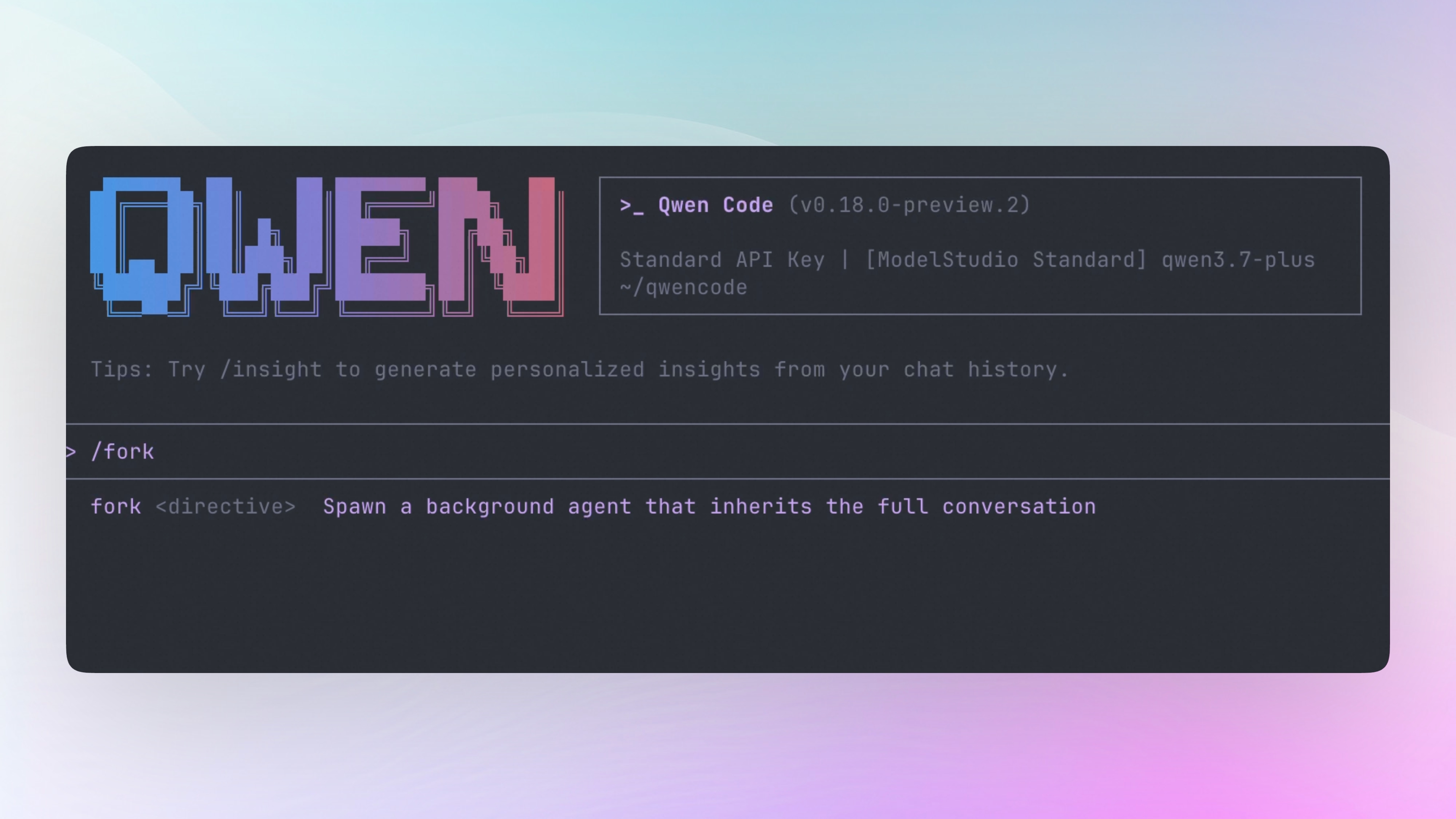
/fork lets you run multiple things simultaneously in one session — no need to open a new terminal or switch sessions.
Type /fork <instruction> and a background agent starts immediately, inheriting the current conversation’s full context (system prompt, history, tools, model, prompt cache), executing your instruction independently in the background. The main conversation is not blocked — you continue working on other things. When the fork completes, you get notified via the background task panel, with results written to a JSONL transcript.
This differs from /branch: /branch copies the current conversation to a new session for exploring different directions, while /fork dispatches a background worker within the current session.
What you can do with it:
- Mid-way through coding,
/fork help me add tests for this module— tests run in the background while you continue writing the next module - Real-time fork progress visible in the background task panel (
main/○ fork: …), terminal notification on completion - Multiple forks can run in parallel, constrained by concurrency limits
- Clear error messages for empty instructions, missing config, or streaming output — no silent failures
See PR #4780
/skills: Skill Management Finally Has a Panel
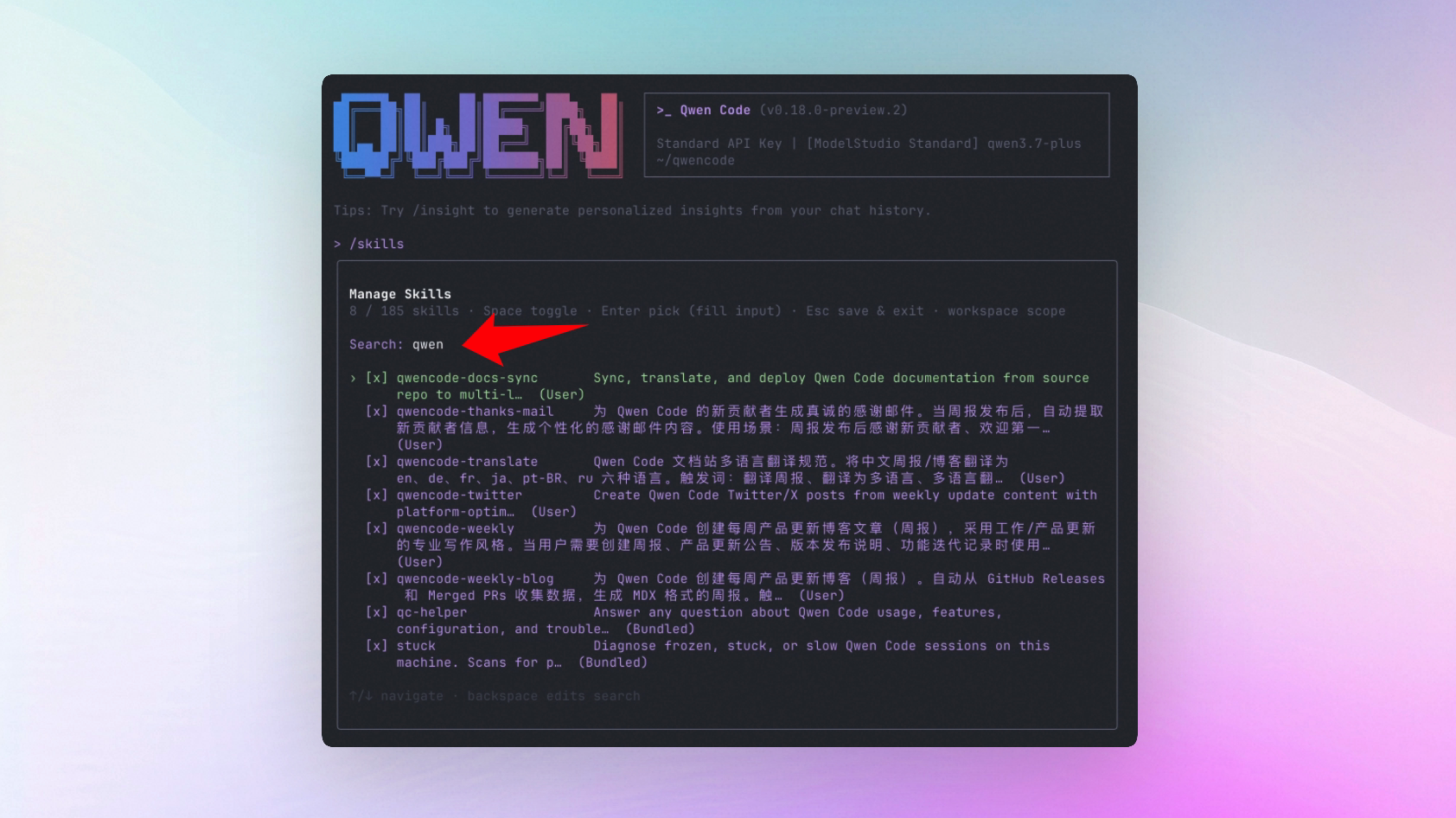
Previously using Qwen Code skills required remembering skill names and typing /<skill-name> directly — no browsing, no search, no toggles. Want to disable a noisy skill? Manually edit settings.json.
Now type /skills to open a picker dialog. All registered skills at a glance: name, description, source (project-level / user-level / built-in). Keyboard search for quick navigation, Space to toggle enable/disable, Enter to fill the selected skill command into the input box. Disabled state writes to workspace-level skills.disabled config, taking effect immediately in the current session — the model’s <available_skills> list and slash completions sync instantly, no restart needed.
Cross-scope config is handled: if a skill is disabled in user-level settings, the workspace-level picker shows [locked: User] and cannot be overridden at workspace level.
What you can do with it:
/skillsopens the panel, browse all available skills and descriptions- Type keywords to search skills
- Space to enable/disable skills, Esc to save and exit
- Enter to select a skill and fill it into the input box for execution
- Disabled skills no longer appear in the model’s available skills list or slash completions
See PR #4533
User-Level Cross-Project Memory: No More Amnesia When Switching Repos
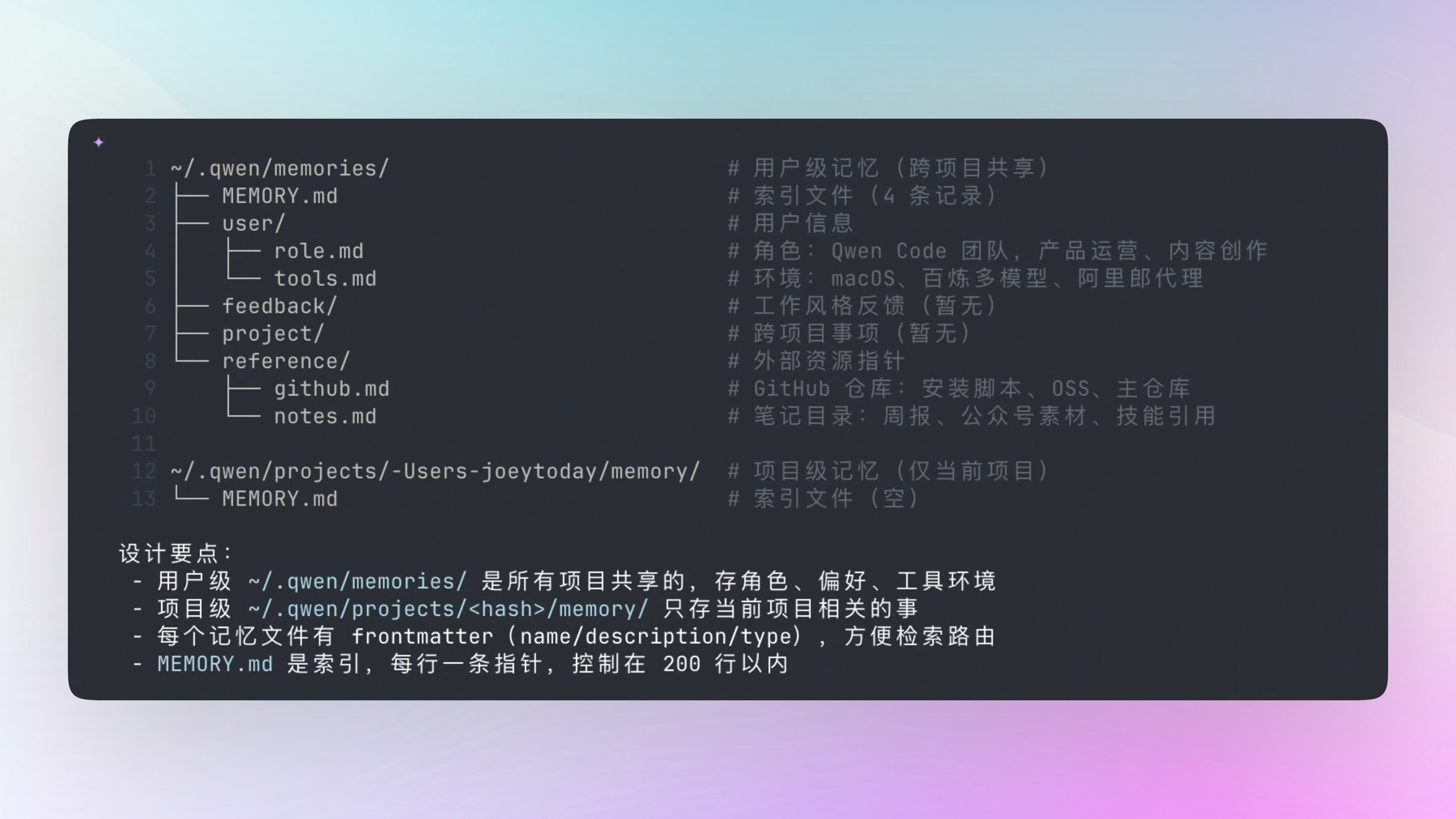
Previously auto-memory only accumulated in the current project directory — switching repos meant the agent forgot everything. This week adds ~/.qwen/memories/ user-level memory directory, using existing four memory categories (user / feedback / project / reference) for routing, no new config options needed.
New ~/.qwen/memories/ directory alongside project-level .qwen/memories/. Routing rules are decided in the memory extraction agent’s prompt, not hardcoded:
- user type: Always routes to user-level (it’s about you as a person)
- feedback type: Defaults to user-level (most feedback is personal style), but explicitly project-level conventions (testing strategy, build specs) route to project-level
- project type: Always project-level (deadlines, events, ongoing work)
- reference type: Defaults to project-level (this project’s Linear, Grafana), but company-wide common resources route to user-level
Both scope indexes render in the system prompt — user-level first (background info), project-level after (more specific, naturally overrides). Even if user-level MEMORY.md is empty, a placeholder renders to ensure the agent knows the directory exists and can write to it.
What you can do with it:
- After the agent learns your preferences (“I prefer pnpm”, “use vitest not jest for tests”), it remembers them in any new project
- No need to repeat personal preferences in every repo’s
.qwen/QWEN.md memory.enableManagedAutoMemorytoggle reuses existing config, no extra setup needed
See PR #4764
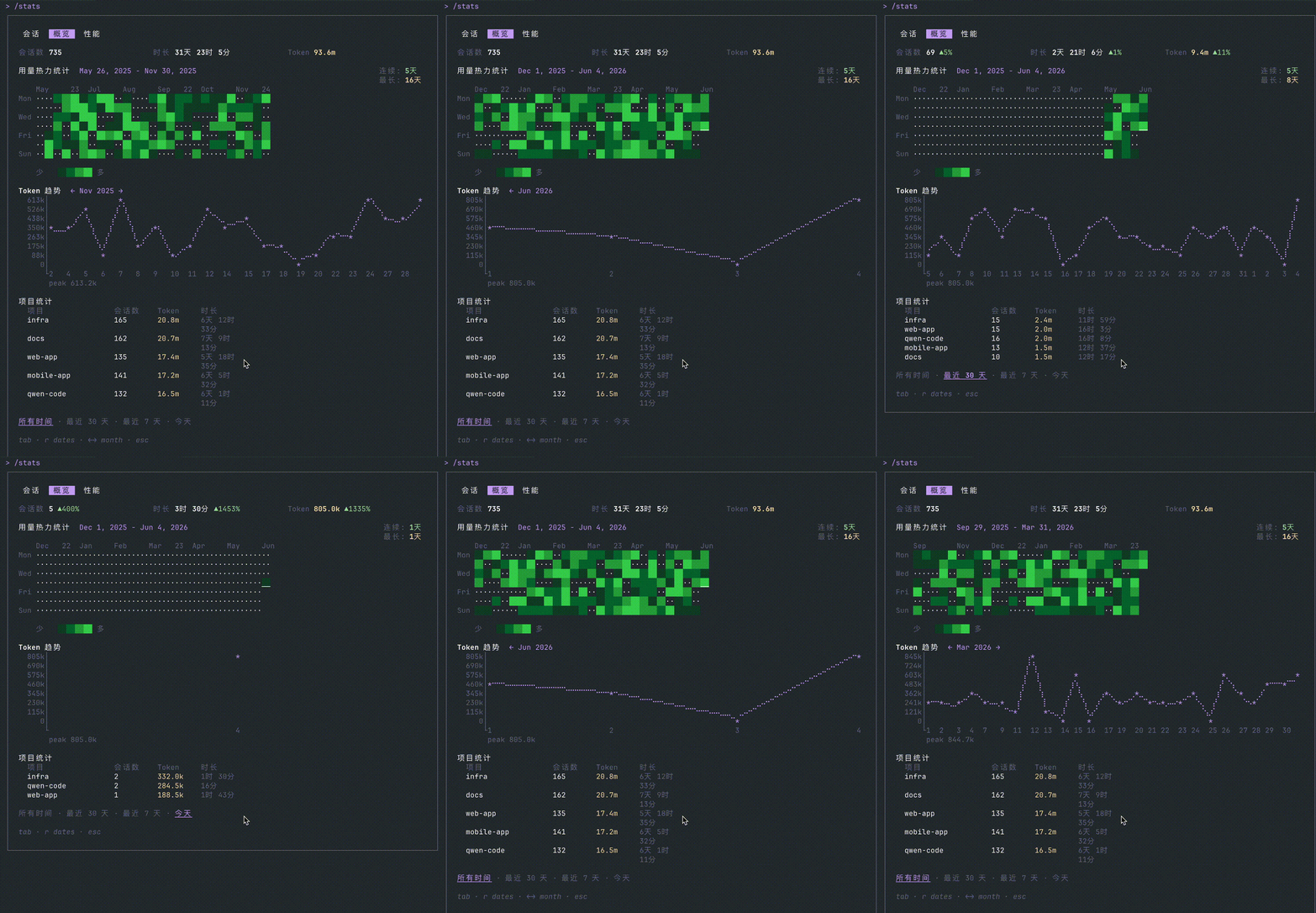
/stats Interactive Stats Panel: See Token Usage at a Glance
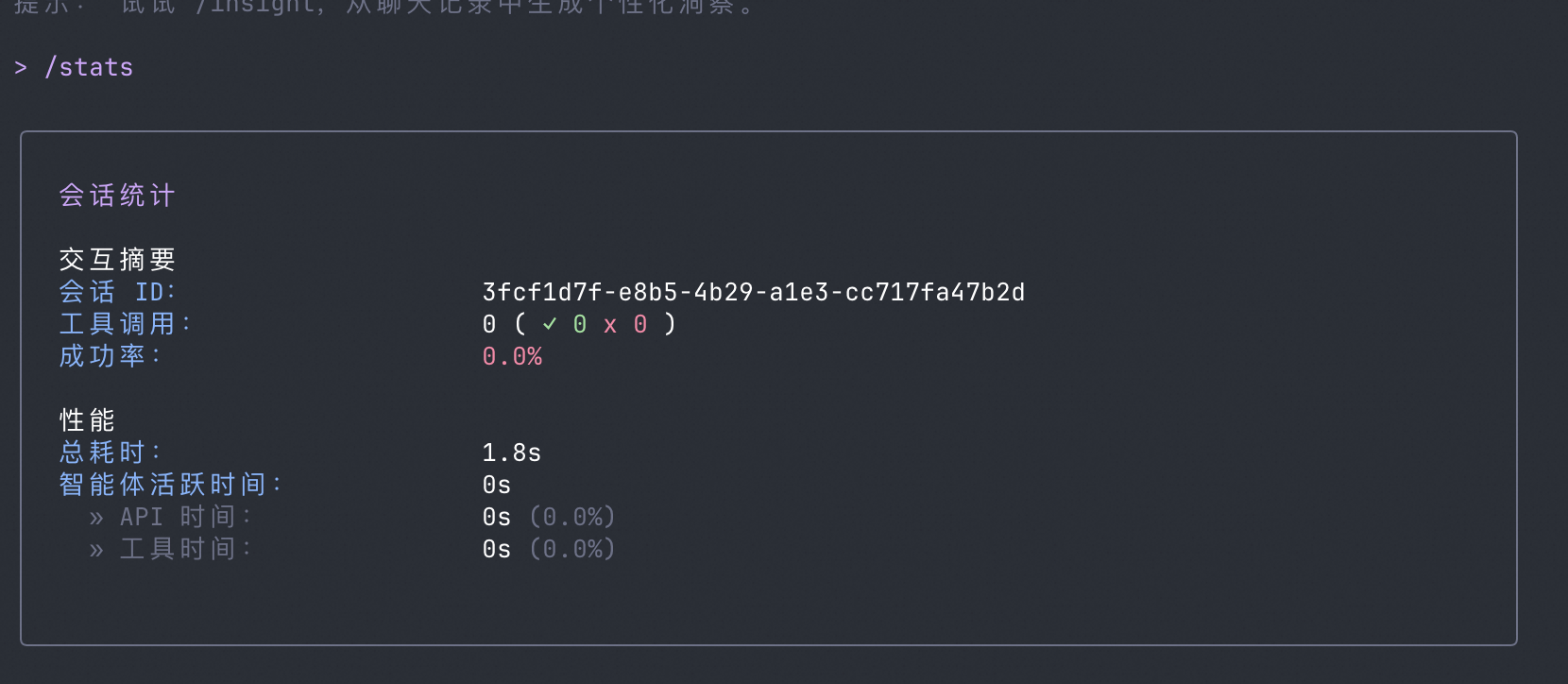
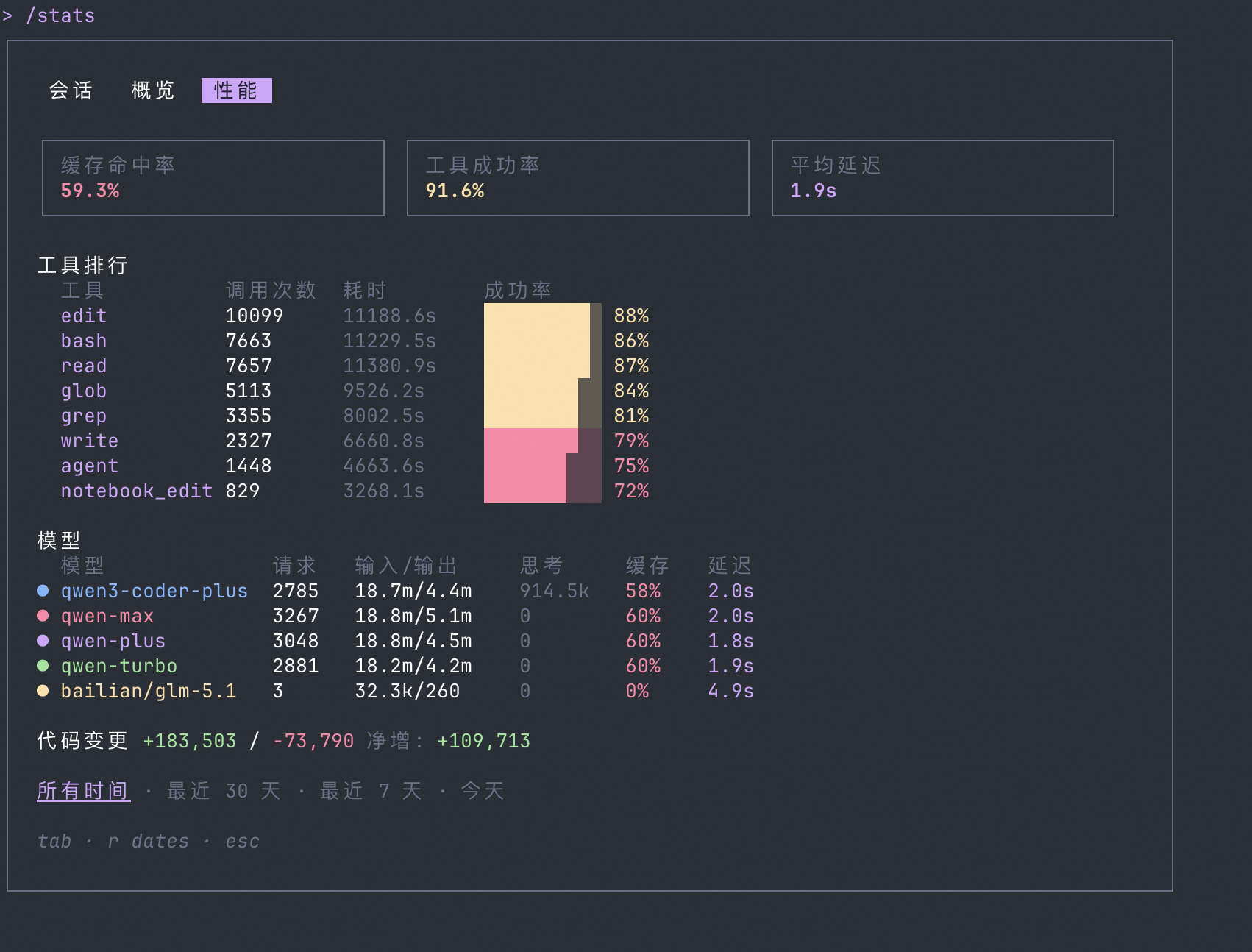
Previously /stats only showed current session token counts as plain text, forgotten after viewing. Now it’s an interactive three-tab panel: Session (real-time metrics for current session), Activity (cross-session usage trends), Efficiency (performance and tool analysis).
Usage data persists automatically to ~/.qwen/usage_record.jsonl, written on session exit and /clear. Tab / Shift+Tab to switch tabs, r to switch time range (All → Month → Week → Today), arrow keys to page through monthly trend charts.
Activity tab shows GitHub-style contribution heatmap, braille line chart of token trends, top-5 project rankings. Efficiency tab shows cache hit rate, tool success rate, average latency, model comparison table.
What you can do with it:
/statsopens the panel, see current session token usage and cost at a glance- Switch to Activity tab for cross-session usage trends and coding heatmap
- Switch to Efficiency tab to see which tools have low success rates, which models have high latency
- Filter by time range, compare usage patterns across different periods
See PR #4779
| before | after |
|---|---|
 |  |
 |
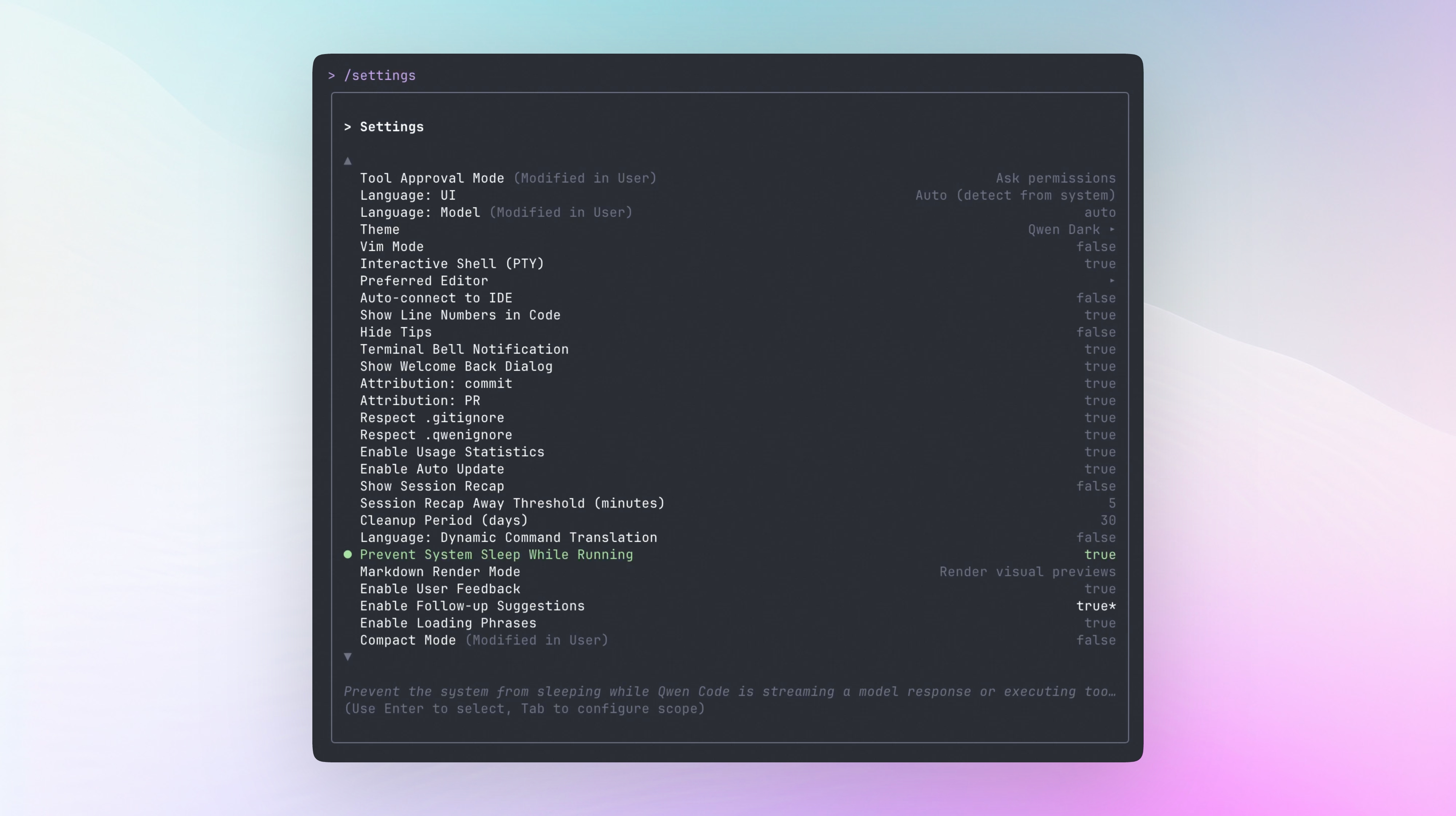
Prevent System Sleep: Long Tasks Won’t Get Interrupted
During long-running prompts or tool executions, the system may auto-sleep, interrupting ongoing tasks. This week adds a runtime sleep inhibitor: automatically prevents system sleep during model streaming responses or tool execution. macOS uses caffeinate, Linux uses systemd-inhibit, Windows uses SetThreadExecutionState.
Enabled by default (general.preventSystemSleep: true), disable with one config if unwanted. Reference counting manages multiple parallel tasks sharing one inhibition lock, automatically released when all complete. ACP sessions also covered.
What you can do with it:
- Long-running agent tasks (computer-use, large-scale refactoring) no longer interrupted by system sleep
- Enabled by default, no config needed
general.preventSystemSleep: falseto disable
See PR #4434
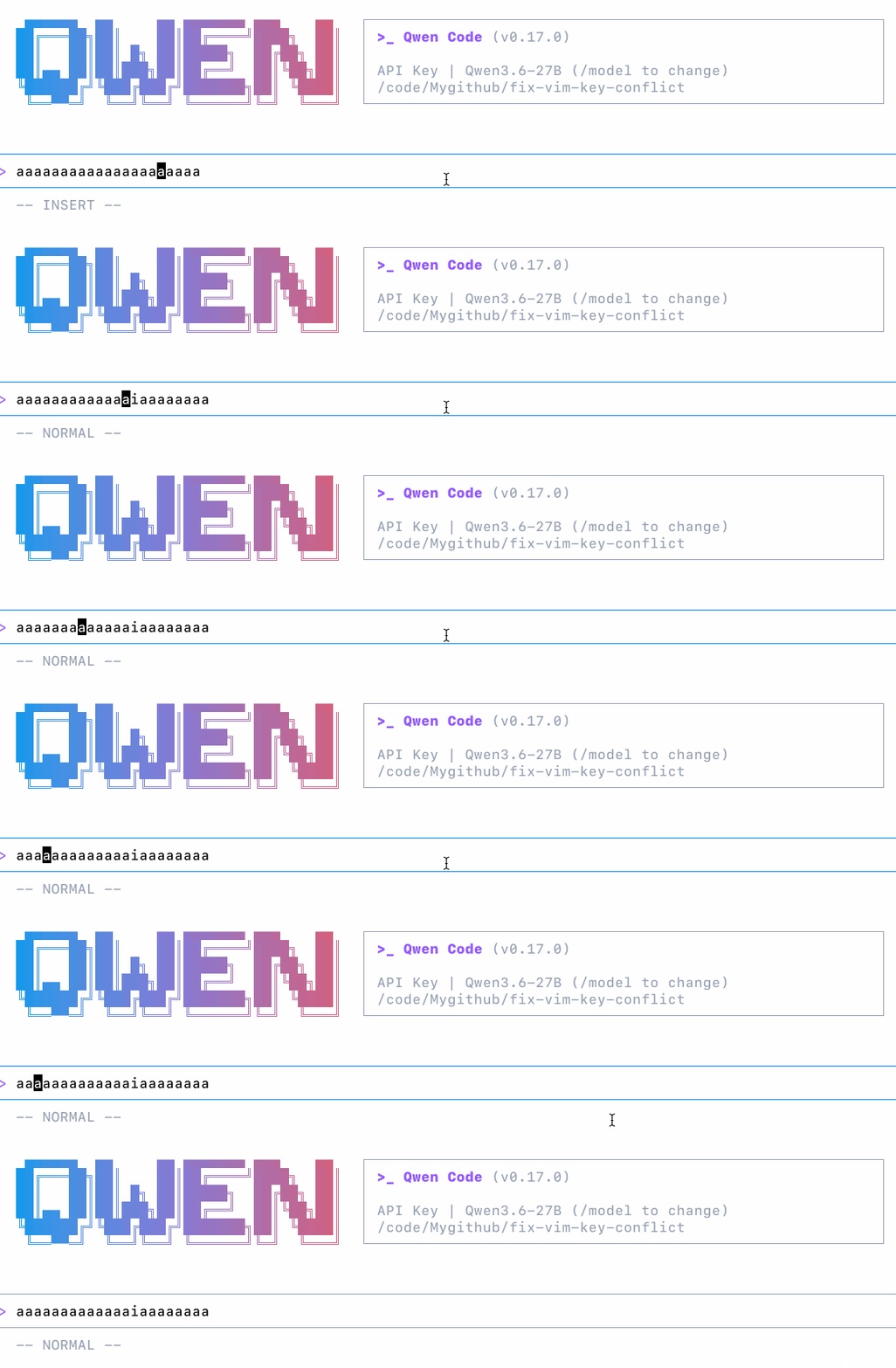
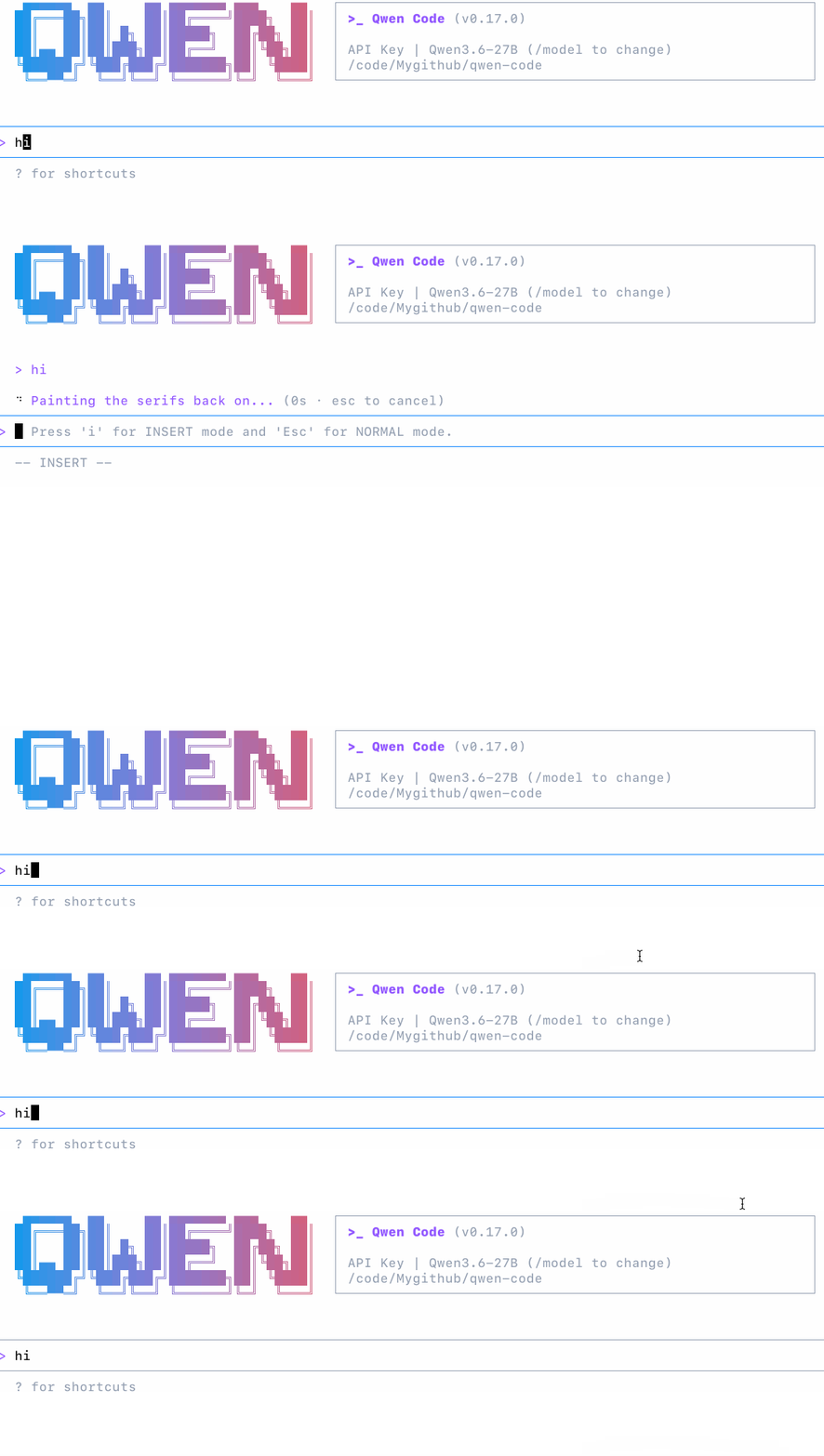
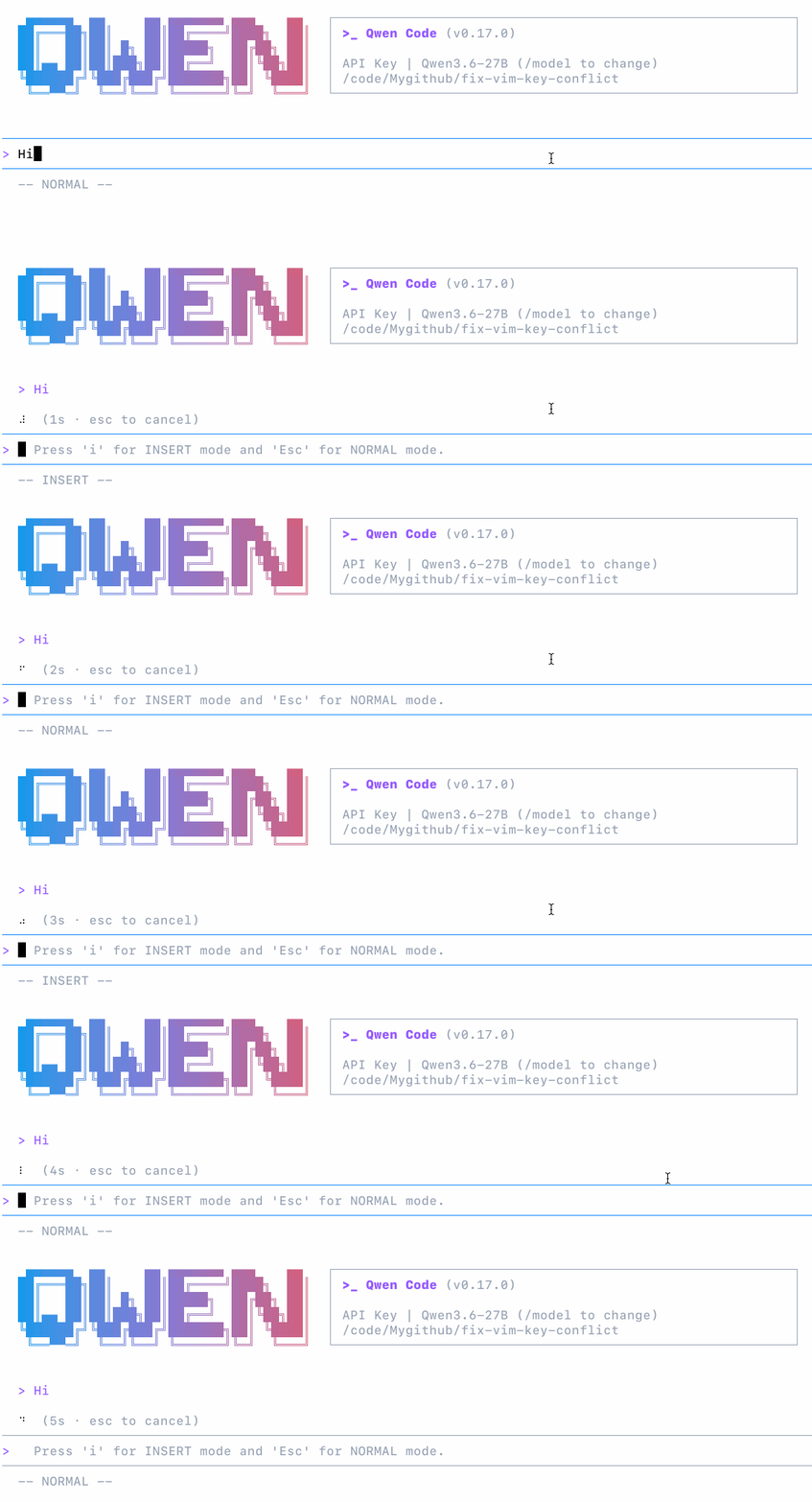
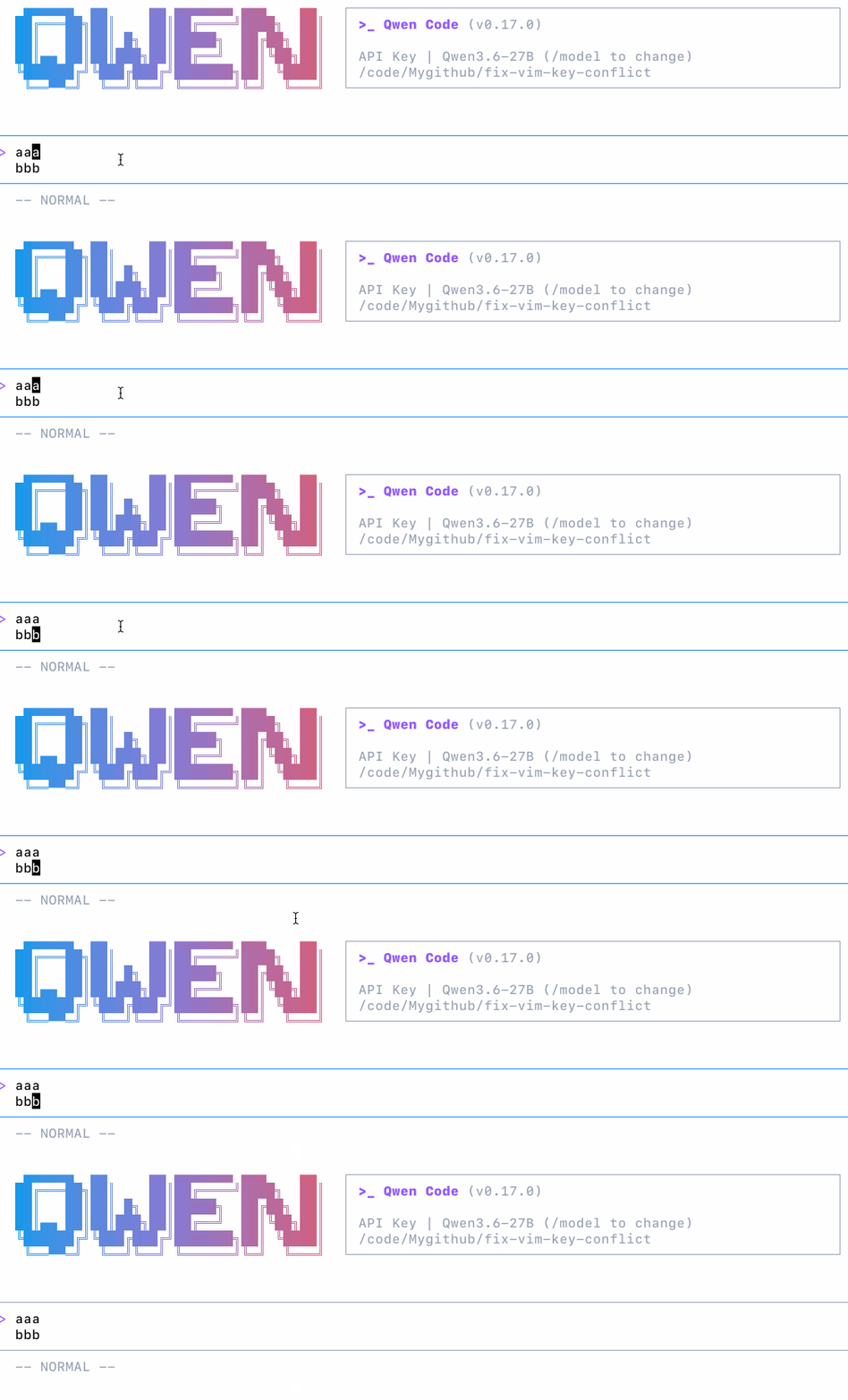
Vim Mode Overhaul: Esc No Longer Misbehaves, Enter Submits, Command Completion
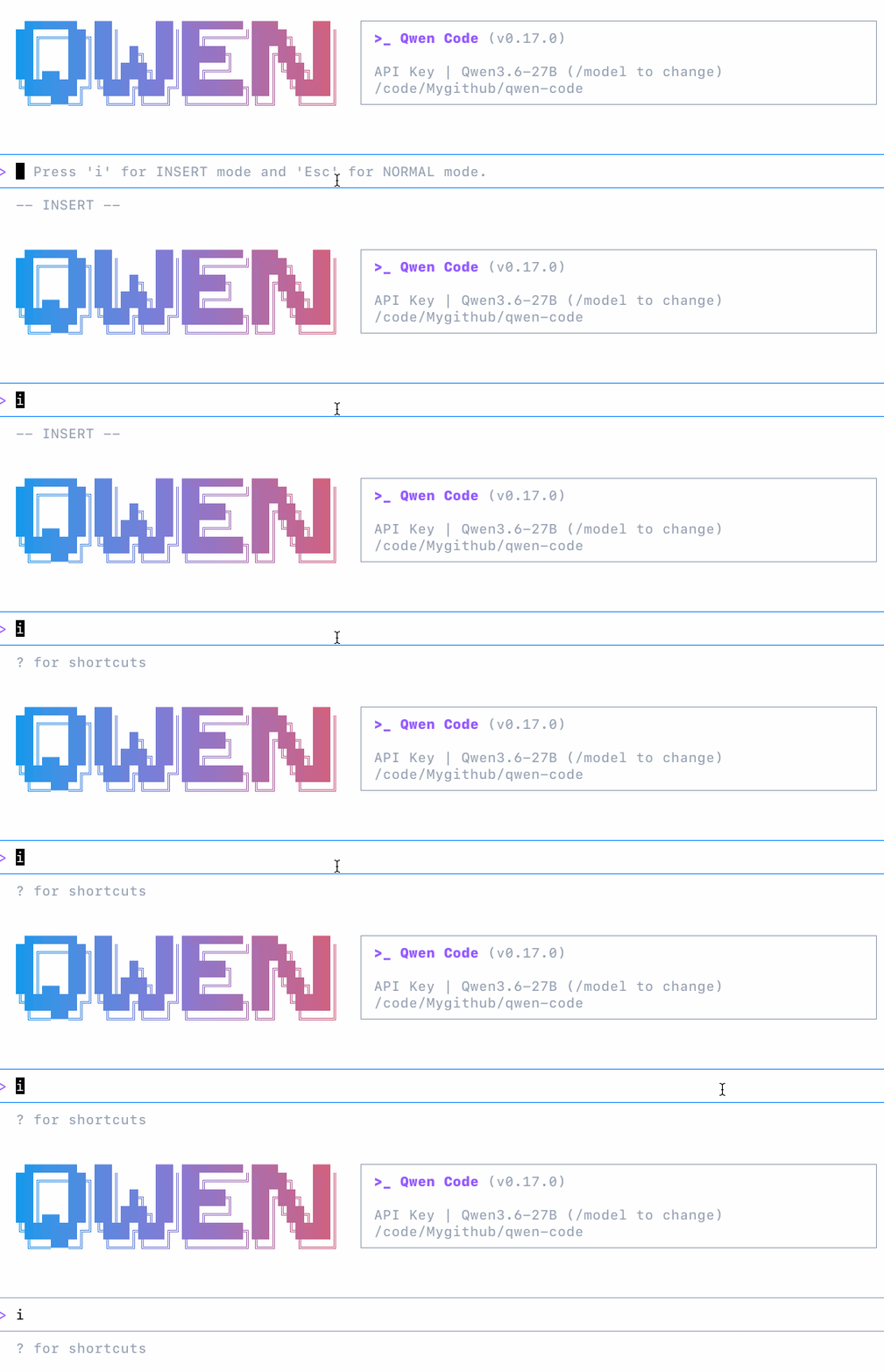
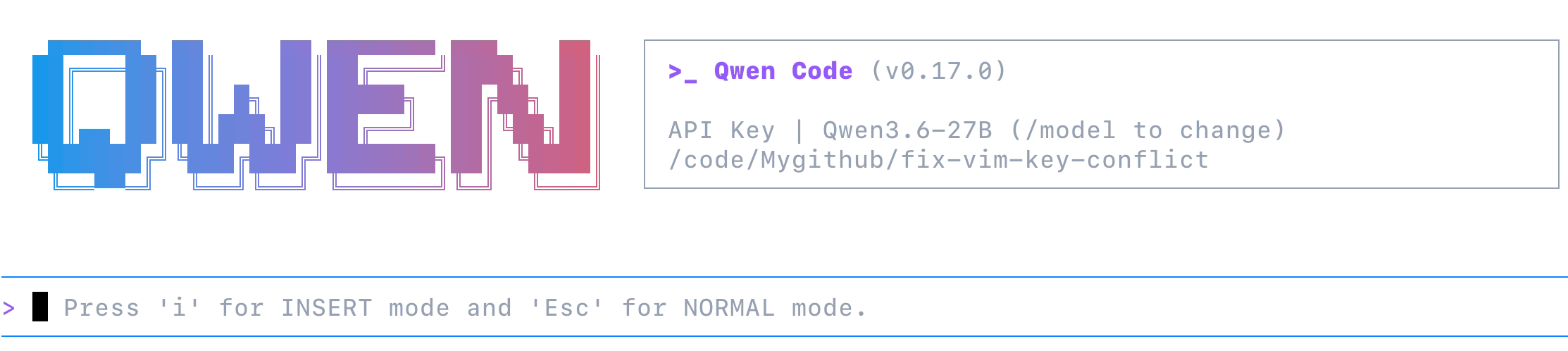
Vim users in Qwen Code have been tolerating three issues: pressing Esc in INSERT mode triggers AppContainer’s handler, showing “Press Esc again to clear” or even clearing the input buffer; pressing Enter in NORMAL mode does nothing; noticeable rendering delay in the bottom indicator during mode switches.
Fixed all at once this week. Esc in INSERT mode only switches modes, no longer leaking to other handlers. Enter in NORMAL mode submits messages normally. VimModeContext split into State and Actions contexts with useMemo, 6 consumers no longer all re-render on mode switch. Bottom indicator adds -- NORMAL --, updating instantly on switch.
Also completed a batch of NORMAL mode commands: undo, replace, case toggle, line join, indent/unindent, WORD motions, find/till motions, yank/paste (system clipboard), operator-pending combinations.
What you can do with it:
- INSERT → NORMAL (Esc) no longer clears input or interrupts model streaming
- Enter in NORMAL mode submits messages, consistent with non-vim mode behavior
-- NORMAL --/-- INSERT --indicators switch instantly, no delay- Standard commands like
u(undo),r(replace),~(case toggle),J(join) available
See PR #4677
| before | after |
|---|---|
 |  |
 |  |
 |  |
Standalone Installer Auto-Update: Upgrade Without npm
Previously Qwen Code installed via standalone install script (curl ... | bash) would fall back to npm global install on update — either EACCES errors (npm prefix needs root) or installing to a different location inconsistent with the standalone binary.
This week adds native auto-update for standalone installs. No sudo, no package managers needed.
What you can do with it:
- Standalone install users see update prompts, auto-download, verify, replace, effective on restart
- Auto-rollback to previous version on update failure
- Multiple terminals launching simultaneously won’t conflict (lock file protection)
~/.local/binauto-written to shell rc files, ensuring PATH priority
See PR #4629
More New Features
| Feature | PR | Impact on You |
|---|---|---|
/copy N: /copy 2 copies the second-to-last AI message, /copy 3 code python extracts Python code block from third-to-last | #4761 | When agent’s last message is “done!”, copy actual output without scrolling |
Skill allowedTools takes effect: Skills’ declared allowedTools auto-authorize, no permission prompts during skill execution | #4704 | Built-in skills (like /review) and custom skills no longer frequently interrupt with permission prompts |
| Auto mode self-modification protection: Writes to config, instructions, hooks, skills, MCP config can no longer bypass the classifier | #4572 | Auto mode safer — agents can’t indirectly modify their own config via shell |
PR review CI workflow: @qwen-code /review triggers agent code review, results sent back as inline comments to PR | #4549 | Org member PRs auto-reviewed, Draft PRs trigger when ready |
| Workflow tool P1: Model writes JS scripts in node:vm sandbox to orchestrate multiple subagents (opt-in, off by default) | #4732 | Enable with QWEN_CODE_ENABLE_WORKFLOWS=1, model can orchestrate complex workflows with JS |
| Prompt expansion hooks: Independent hook events triggered when slash commands expand to prompts | #4377 | Hook authors can intercept specific commands’ prompt expansion for preprocessing or blocking submission |
| VSCode ACP background notifications: Background agent completion pushes notifications and model follow-up in VSCode chat panel | #4358 | VSCode users no longer miss background task completion notifications |
| Desktop Qwen integration: ACP supports Desktop Qwen integration | #4728 | Desktop apps can integrate Qwen Code via ACP |
| InstructionsLoaded hook: Hook triggered when instruction files load | #4665 | Hook authors can inject custom logic after instruction loading |
| Release asset verification + standalone docs entry | #3855 | Standalone install doc entry and release asset signature verification |
🔧 Important Fixes
| PR | Fix | Impact on You |
|---|---|---|
| #4824 | Auto-compress API history, UI history under memory pressure, Hook messages participate in micro-compression | Long sessions no longer OOM — Goal mode loops and Computer Use long-task tool outputs auto-cleaned |
| #4756 | Computer Use tool correctly auto-authorized in Auto mode | Auto mode running Computer Use no longer prompts for confirmation each time |
| #4741 | Status bar displays model name instead of internal ID | Status bar finally shows recognizable model names |
| #4753 | Improved approval mode display text | Approval mode UI text clearer |
| #4647 | Linux image paste uses platform-native tools | Linux users can finally paste images normally |
| #4803 | qwen3.7-plus multimodal support | qwen3.7-plus model can process image inputs |
| #4596 | Git repo crawling recursively enters submodules | Agent no longer ignores files in submodules |
| #4795 | Skip cross-group tool merging to eliminate screen flicker | Tool result rendering no longer flickers |
| #4755 | Fixed selection dialog flicker | Selection dialog no longer flickers |
🎉 New Contributors
Thanks to this week’s contributors:
| Contributor | Contributions |
|---|---|
| @qqqys | /fork background agent command #4780 , Auto mode self-modification protection #4572 , Prompt expansion hooks #4377 , InstructionsLoaded hook #4665 |
| @callmeYe | /skills picker dialog #4533 |
| @LaZzyMan | User-level cross-project memory #4764 , /copy N #4761 , Workflow tool P1 #4732 |
| @zzhenyao | Vim mode overhaul #4677 , status bar displays model name #4741 , OOM protection compression #4824 , screen flicker fix #4795 |
| @yiliang114 | Standalone installer auto-update #4629 , PR review CI #4549 , Release asset verification #3855 |
| @DragonnZhang | Prevent system sleep #4434 , VSCode ACP background notifications #4358 , Desktop Qwen integration #4728 |
| @tanzhenxin | Skill allowedTools auto-authorization #4704 |
| @BenGuanRan | /stats interactive stats panel #4779 |
| @CNCSMonster | Linux image paste fix #4647 |
| @he-yufeng | submodule file crawling #4596 |
| @BZ-D | Approval mode text improvement #4753 |
How to upgrade: Run npm i @qwen-code/qwen-code@latest -g to upgrade to the latest version.
For questions or suggestions, feel free to report on GitHub Issues !